Shopify
Connect a Shopify store to Truto with OAuth 2.0 through a Shopify app you own.
Install the Shopify integration
Install Shopify from Available integrations in each environment you connect accounts from.
Create a Shopify OAuth app
Truto doesn't ship a Shopify OAuth app of its own, so bring yours. Until you set its Client ID and Client Secret on the installed integration, the connect UI doesn't list Shopify. See Until the app is configured.
- In Shopify's Dev Dashboard, open Apps and click Create app. Choose Start from Dev Dashboard, enter a name and click Create.
- On the app's Versions page, create a version:
- Under Scopes, add the scopes listed below. If you override the scopes on the Truto integration, add those instead.
- Under Redirect URLs, add the redirect URL below.
- Click Release. Shopify applies redirect URLs only once they are part of a released version.
- Open App settings. The Credentials card shows the Client ID and Client secret. Enter them on the installed Shopify integration; see Overriding OAuth credentials.
Redirect URL:
https://api.truto.one/connect/shopify/callbackIf you use a redirect URL on your own domain, register that URL instead.
By default, Truto asks Shopify for these scopes. The connect screen lists them under Permissions required, and you can change them when you override the OAuth credentials.
read_ordersread_customersread_productsread_users
Find the store's subdomain
- Sign in to the Shopify admin of the store.
- Click Settings in the bottom-left corner.

- Open Store details. The store's
myshopify.comaddress is listed there.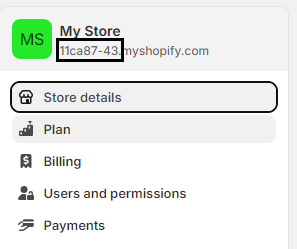
Connect a Shopify account
-
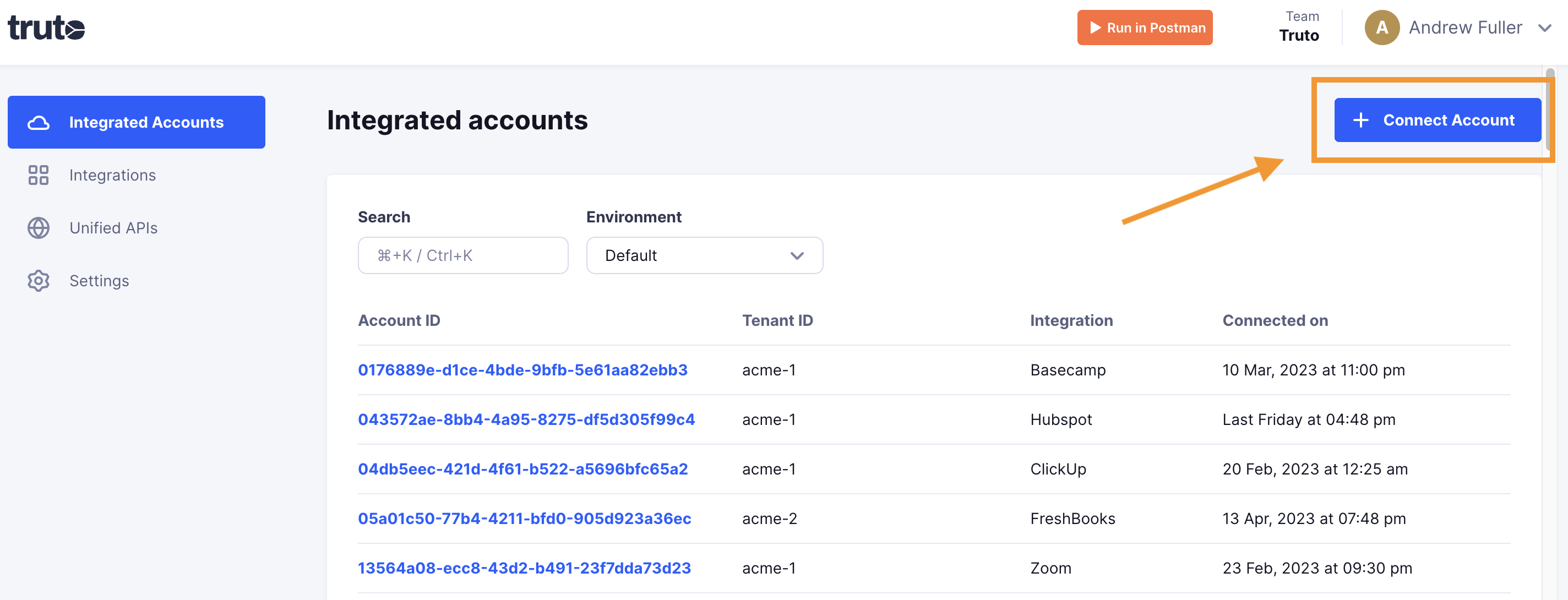
Click Connect Account.
-
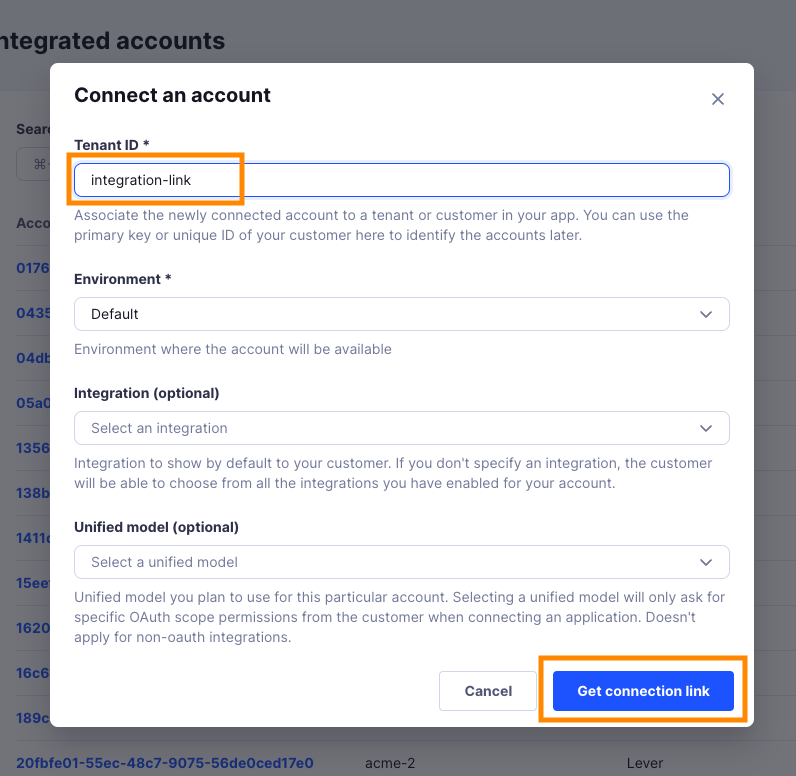
Enter a Tenant ID. This can be any ID you choose. Click Get connection link.
-
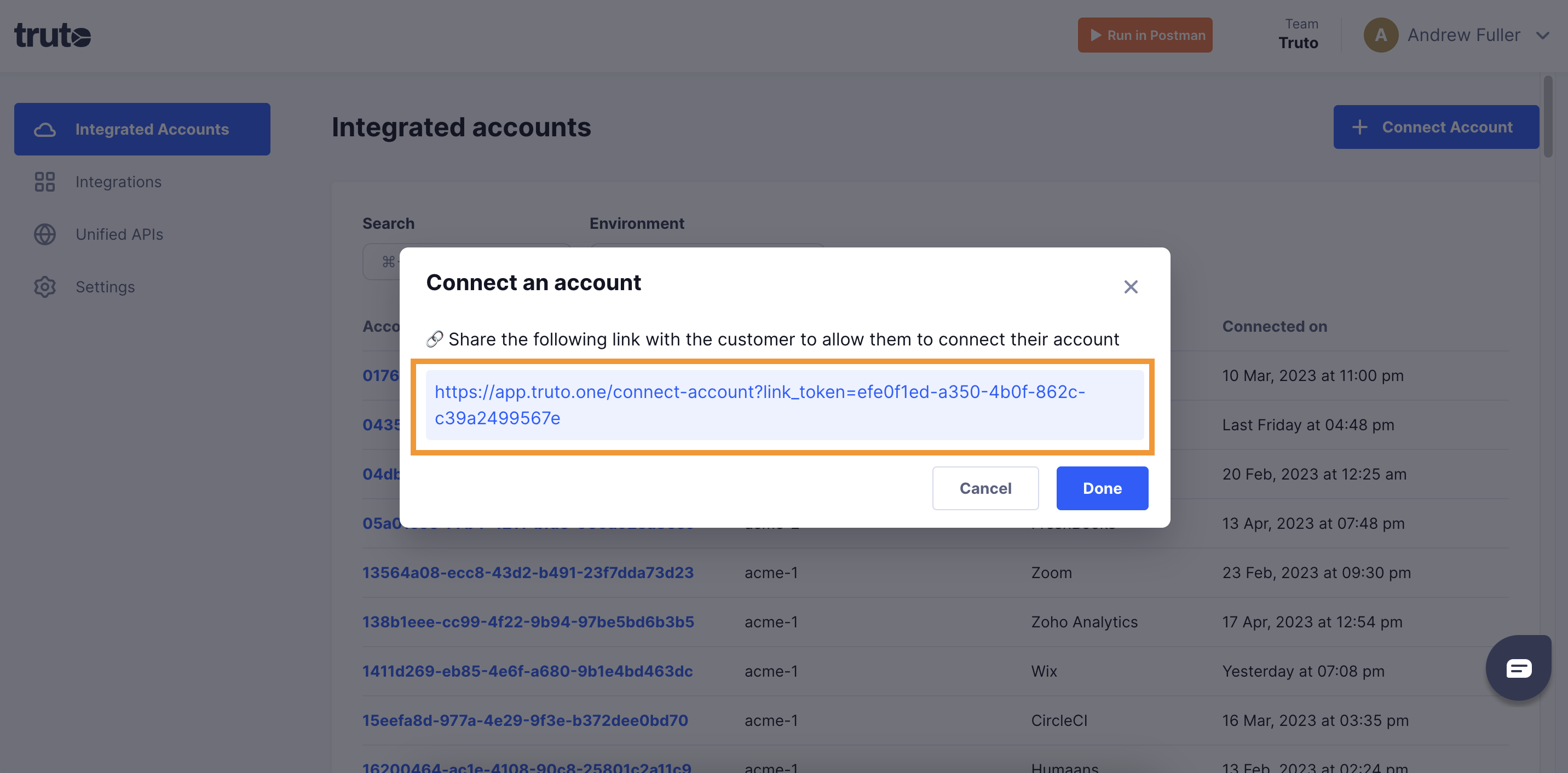
Open the generated link. You can also share it with your customer so they connect their own Shopify account.
-
Select Shopify.
-
Fill in the form and click Connect:
Field Required What to enter Shop Yes The store's subdomain: for acme.myshopify.com, enteracme. See Find the store's subdomain. -
Sign in to Shopify and allow access.
-
Close the tab when you see the connection successful message. The new account appears under Integrated Accounts. Click its Account ID to see its details and make API calls.