Salesloft
Salesloft connects with an API key.
Install the Salesloft integration
Install Salesloft from Available integrations in each environment you connect accounts from.
Create an API key
- Go to Your Applications in Salesloft.

- Select API Keys and click Create New.

- Enter a name you'll recognise and click Submit. The next screen shows the key.


Connect a Salesloft account
-
Click Connect Account.
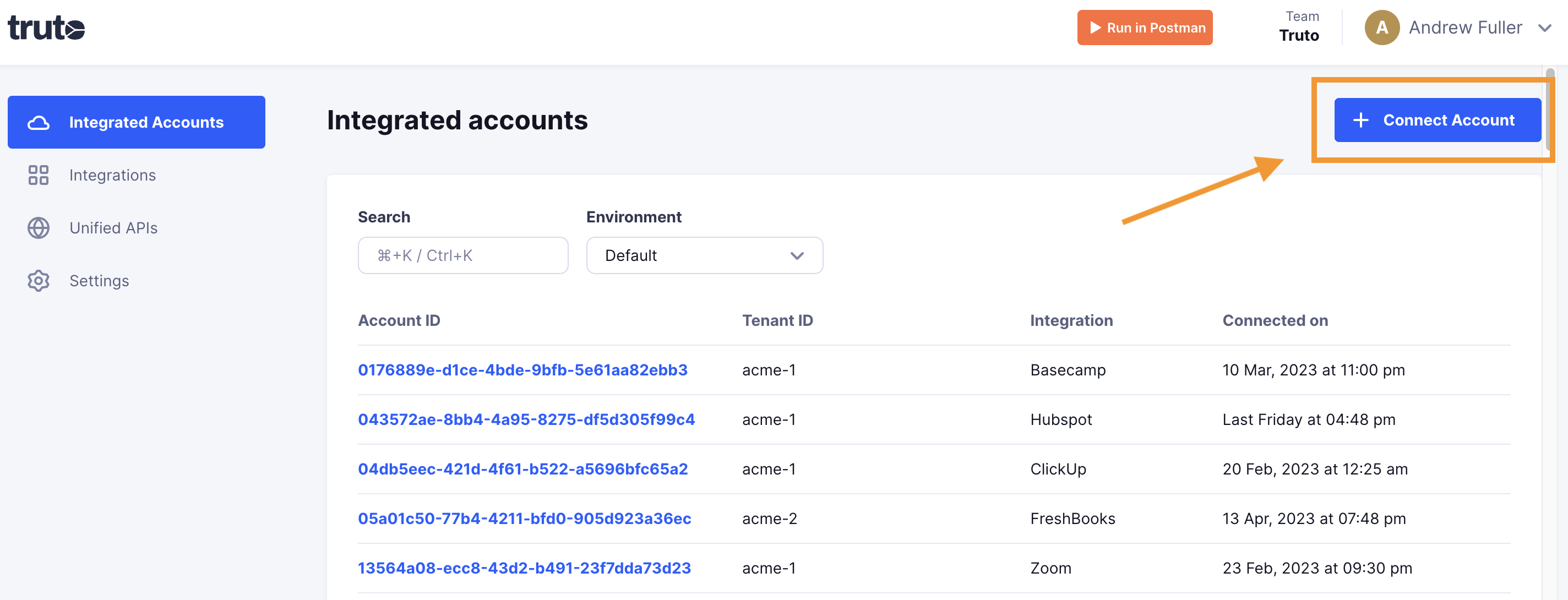
-
Enter a Tenant ID. This can be any ID you choose. Click Get connection link.
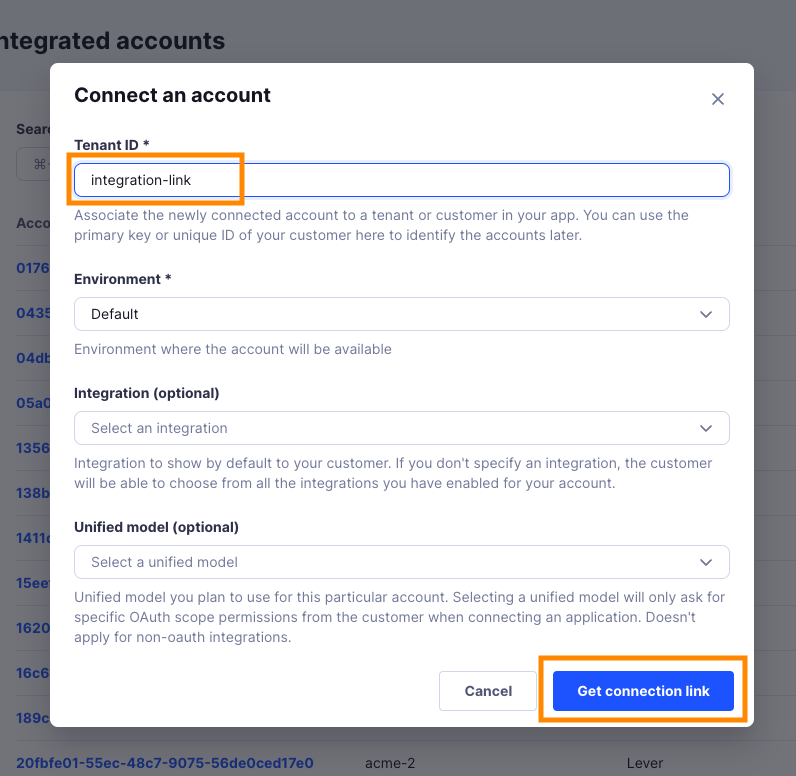
-
Open the generated link. You can also share it with your customer so they connect their own Salesloft account.
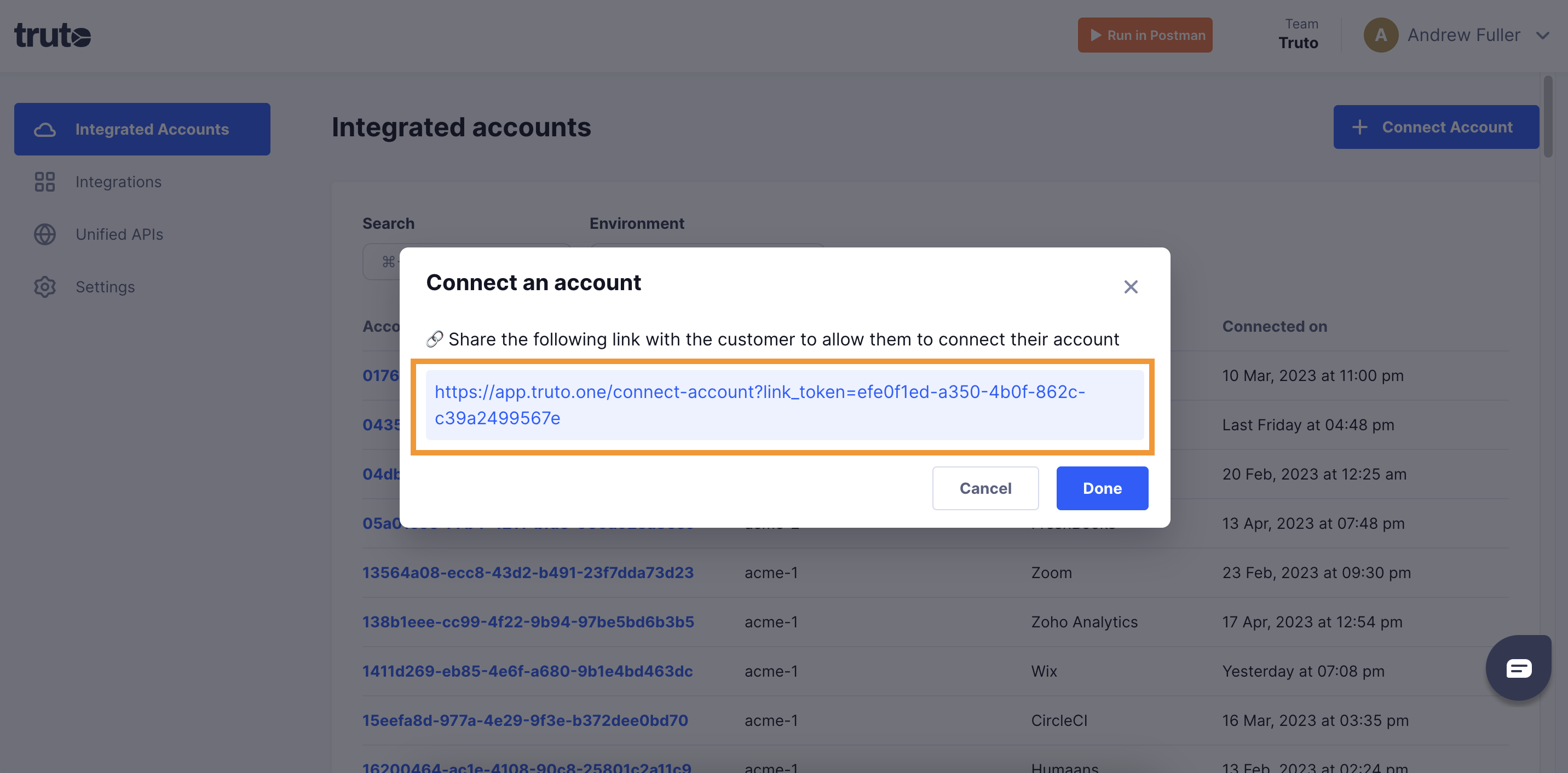
-
Select Salesloft.
-
Fill in the form and click Connect:
Field Required What to enter API Key Yes Your Salesloft API key. See Create an API key. -
Close the tab when you see the connection successful message. The new account appears under Integrated Accounts. Click its Account ID to see its details and make API calls.