Oracle Netsuite
NetSuite connects with token-based authentication (TBA): a consumer key and secret from an integration record, plus a token ID and secret tied to a user and role. You set all of it up in NetSuite as an Administrator, then paste five values into Truto.
- You need the Administrator role in NetSuite to set this up.
Install the Oracle Netsuite integration
Install Oracle Netsuite from Available integrations in each environment you connect accounts from.
1. Enable the web services and token-based authentication
- Open the Enable Features page.
- Under SuiteTalk, enable SOAP Web Services and REST Web Services.
- Under Manage Authentication, enable Token-Based Authentication.
The subdomain Truto asks for is in the browser URL while you're signed in: for https://1234567.app.netsuite.com, it is 1234567.

2. Create a role
- Open the New Role page and enter a name.
- Under Accessible Subsidiaries, select All, and check Allow Cross-Subsidiary Record Viewing.

- Under Selected Accounting Books, select All.

- Add the permissions your use case needs. The permissions reference lists a set for a typical accounting integration.
- Click Save.
3. Give the role to a user
- On the Manage Users page, pick an existing user or create one.
- On the Access tab, add the role from step 2.
- Click Save.
4. Create an integration record
- Open the Integrations page and create a new integration. Enter a name.
- Under Token-based Authentication, check Token-Based Authentication.
- Click Save.
- NetSuite shows the Consumer Key and Consumer Secret once. Copy them somewhere safe.

5. Create an access token
- Open the Access Tokens page and create a new token.
- Select the integration record from step 4 as the application, the user from step 3, and the role from step 2. Enter a token name.

- Click Save.
- NetSuite shows the Token ID and Token Secret once. Copy them somewhere safe.

Connect an Oracle Netsuite account
-
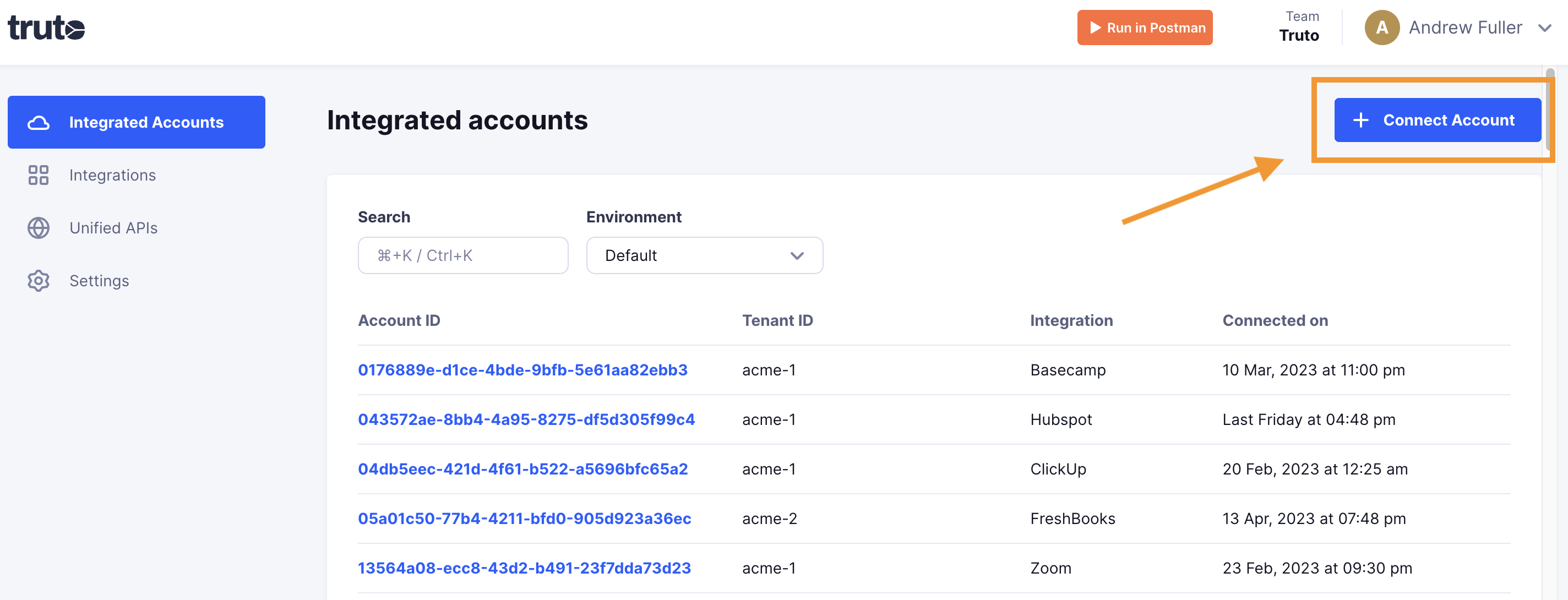
Click Connect Account.
-
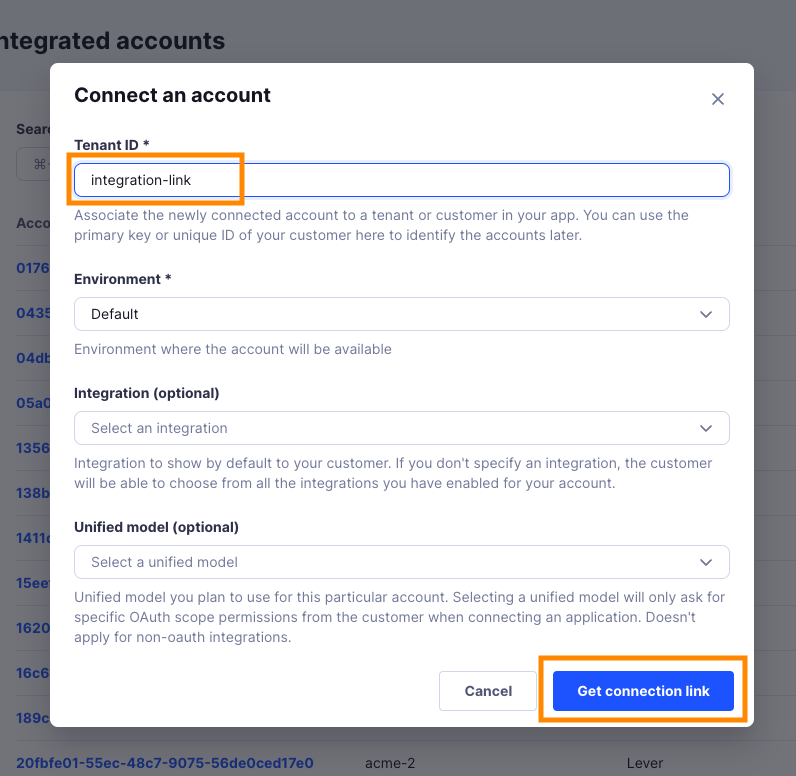
Enter a Tenant ID. This can be any ID you choose. Click Get connection link.
-
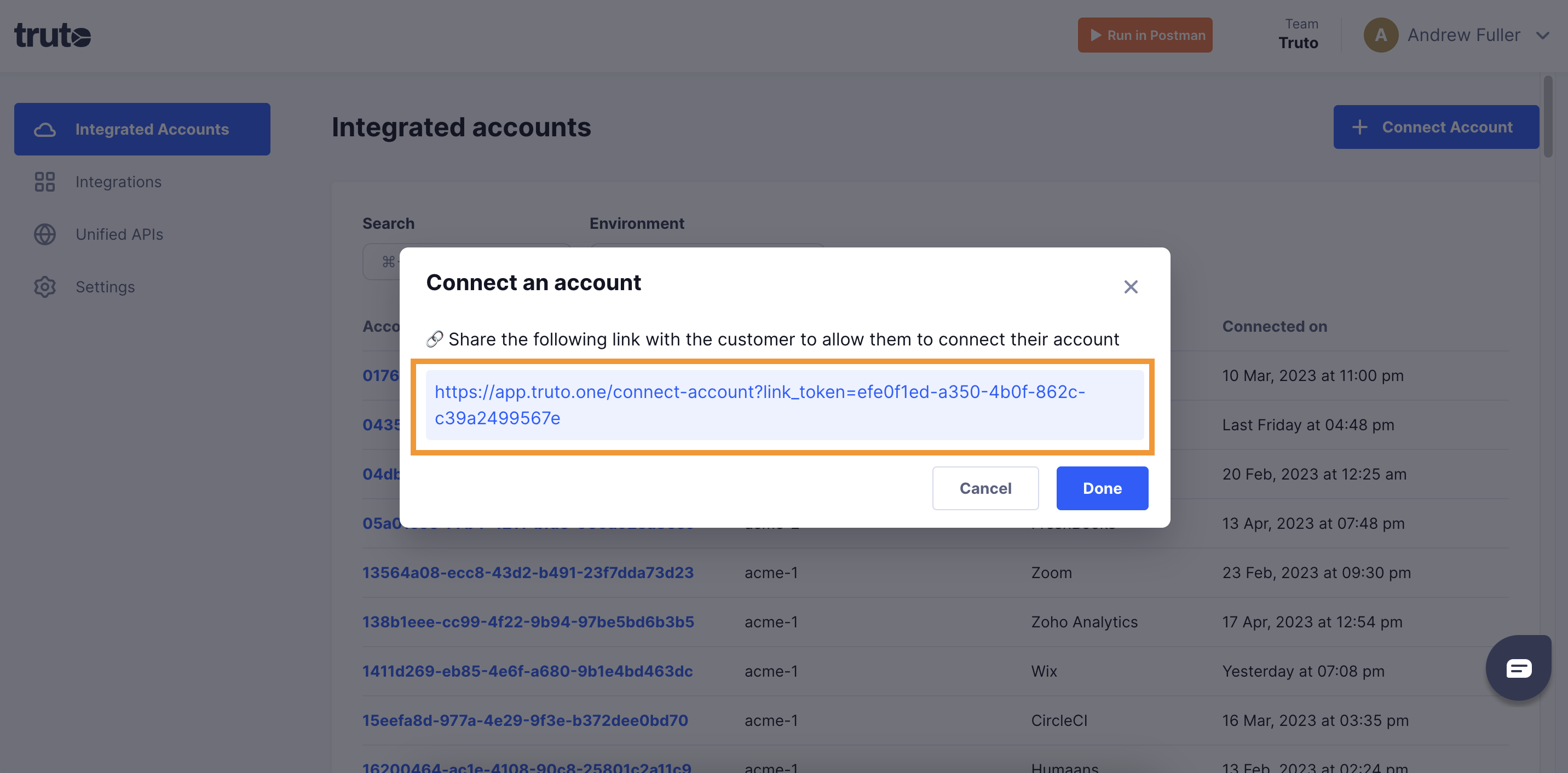
Open the generated link. You can also share it with your customer so they connect their own Oracle Netsuite account.
-
Select Oracle Netsuite.
-
Fill in the form and click Connect:
Field Required What to enter Netsuite Subdomain Yes Your account ID as it appears in the browser URL: for https://1234567.app.netsuite.com, enter1234567.Token ID Yes The Token ID from Create an access token. Token Secret Yes The Token Secret from Create an access token. Consumer Key / Client ID Yes The Consumer Key from Create an integration record. Consumer Secret Yes The Consumer Secret from Create an integration record. Truto signs every request with it, so a connection without it fails with 401. The form may show it as optional; fill it in anyway. -
Close the tab when you see the connection successful message. The new account appears under Integrated Accounts. Click its Account ID to see its details and make API calls.
Permissions reference
A typical accounting integration uses the permissions below. Use the Read only column if you only read data, or Read and write if you also create or update records.
Transactions
| Permission | Read only | Read and write |
|---|---|---|
| Adjust Inventory | View | View |
| Audit Trail | View | View |
| Bill Purchase Orders | View | Full |
| Bills | View | Full |
| Build Assemblies | View | Full |
| Cash Sale | View | Full |
| Cash Sale Refund | View | Full |
| Check | View | Full |
| Credit Card | View | Full |
| Credit Card Refund | View | Full |
| Credit Memo | View | Full |
| Credit Returns | View | Full |
| Currency Revaluation | View | View |
| Customer Deposit | View | Full |
| Customer Payment | View | Full |
| Customer Refund | View | Full |
| Deposit | View | Full |
| Deposit Application | View | Full |
| Distribute Inventory | View | View |
| Enter Opening Balances | View | Full |
| Enter Vendor Credits | View | Full |
| Estimate | View | Full |
| Expense Report | View | Full |
| Finance Charge | View | Full |
| Find Transaction | View | Full |
| Invoice | View | Full |
| Invoice Approval | View | Full |
| Invoice Sales Orders | View | Full |
| Item Fulfillment | View | View |
| Item Receipt | View | Full |
| Make Journal Entry | View | Full |
| Pay Bills | View | Full |
| Pay Sales Tax | View | Full |
| Post Vendor Bill Variances | View | Full |
| Posting Period on Transactions | View | Full |
| Purchase Order | View | Full |
| Receive Order | View | Full |
| Receive Returns | View | Full |
| Reconcile | View | Full |
| Refund Returns | View | Full |
| Return Auth. Approval | View | Full |
| Return Authorization | View | Full |
| Sales Order | View | Full |
| Sales Order Approval | View | Full |
| Statement Charge | View | View |
| System Journal | View | Full |
| Transfer Funds | View | Full |
| Transfer Inventory | View | View |
| Transfer Order | View | View |
| Unbuild Assemblies | View | Full |
| Vendor Bill Approval | View | Full |
| Vendor Payment Approval | View | Full |
| Vendor Return Auth. Approval | View | Full |
| Vendor Return Authorization | View | Full |
| Vendor Returns | View | Full |
| View Payment Events | View | View |
Reports
| Permission | Read only | Read and write |
|---|---|---|
| SuiteAnalytics Workbook | Edit | Edit |
Lists
| Permission | Read only | Read and write |
|---|---|---|
| Accounts | View | Full |
| Address List in Search | View | Full |
| Classes | View | Full |
| Companies | View | Full |
| Contacts | View | Full |
| Currency | View | Full |
| Custom Record Entries | View | Full |
| Customers | View | Full |
| Departments | View | Full |
| Documents and Files | View | Full |
| Expense Categories | View | Full |
| Items | View | Full |
| Locations | View | Full |
| Perform Search | View | View |
| Subsidiaries | View | View |
| Tax Records | View | View |
| Vendors | View | Full |
Setup
| Permission | Read only | Read and write |
|---|---|---|
| Accounting Lists | View | Full |
| Custom Body Fields | View | Full |
| Custom Column Fields | View | Full |
| Custom Entity Fields | View | Full |
| Custom Fields | View | Full |
| Custom Item Fields | View | Full |
| Custom Lists | View | Full |
| Custom Record Types | View | Full |
| Custom Segments | View | Full |
| Custom Transaction Fields | View | Full |
| Deleted Records | View | Full |
| Log in using Access Tokens | Full | Full |
| Manage Accounting Periods | View | View |
| Other Lists | View | Full |
| REST Web Services | Full | Full |
| SOAP Web Services | Full | Full |