Contentful Content Management
Contentful Content Management connects with a personal access token (a CMA token).
Info
- Contentful's User Management API is available on the Premium and Enterprise plans.
Install the Contentful Content Management integration
Install Contentful Content Management from Available integrations in each environment you connect accounts from.
Create a personal access token
- Sign in to the Contentful web app and open a space with the space selector in the top left.
- Click Settings and select CMA tokens.


- Click Create personal access token.

- Enter a name and click Generate.
- Copy the token.
Connect a Contentful Content Management account
-
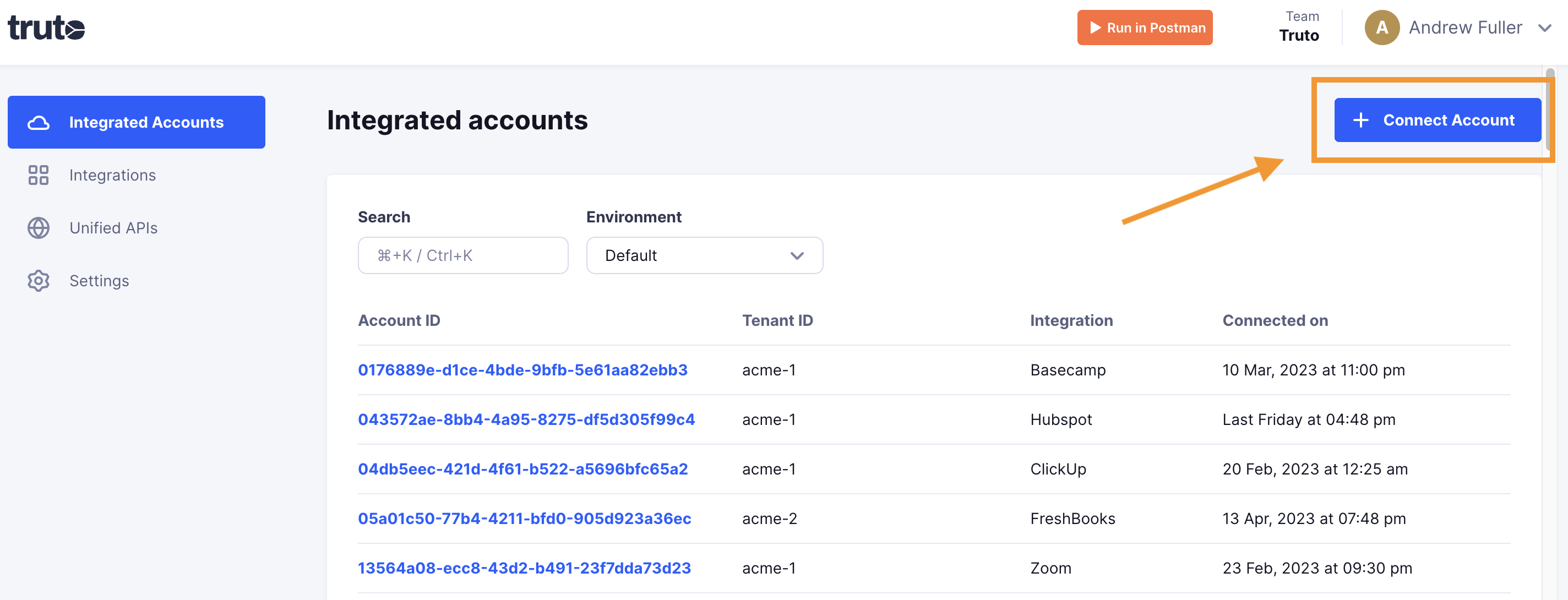
Click Connect Account.
-
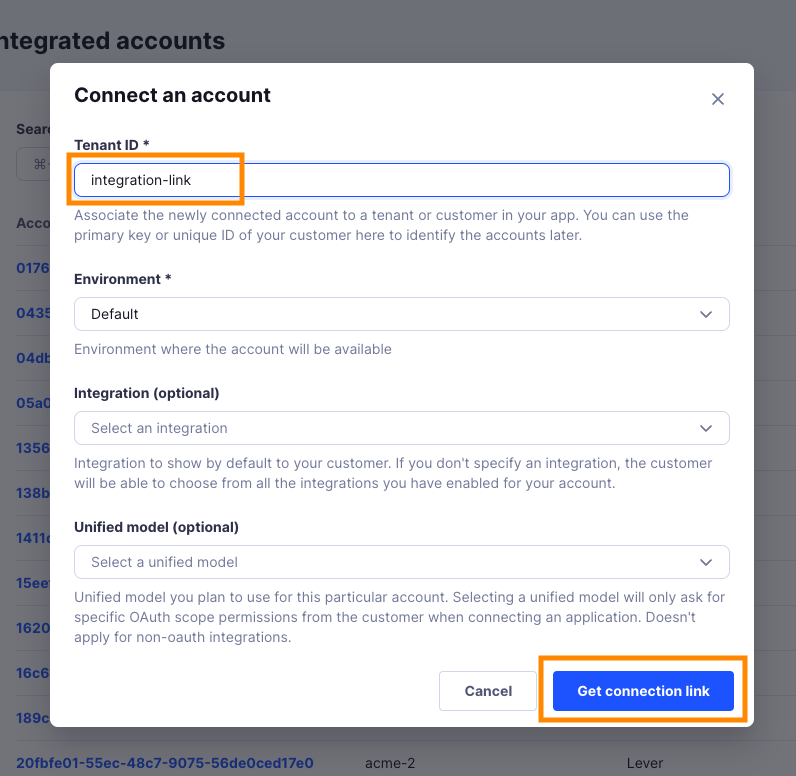
Enter a Tenant ID. This can be any ID you choose. Click Get connection link.
-
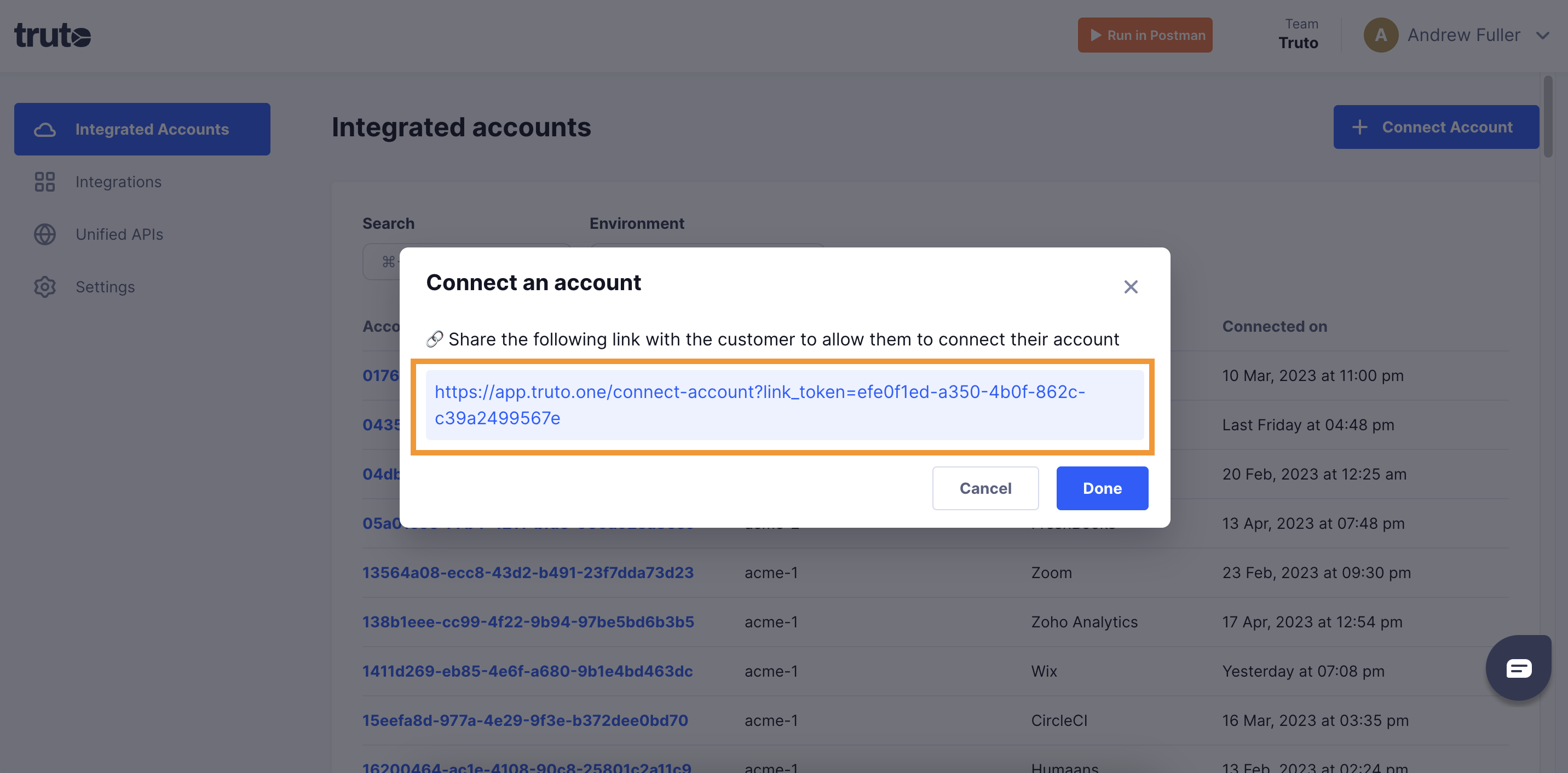
Open the generated link. You can also share it with your customer so they connect their own Contentful Content Management account.
-
Select Contentful Content Management.
-
Fill in the form and click Connect:
Field Required What to enter API Key Yes Your Contentful personal access token. Contentful Region Yes Pick Europe if your Contentful organization is hosted in the EU. Pick one of Default, Europe. Defaults to Default. -
Close the tab when you see the connection successful message. The new account appears under Integrated Accounts. Click its Account ID to see its details and make API calls.