BambooHR
Install BambooHR integration
The BambooHR integration can be found here. Please install it in your environments before proceeding with the steps below.
Connecting a BambooHR account
-
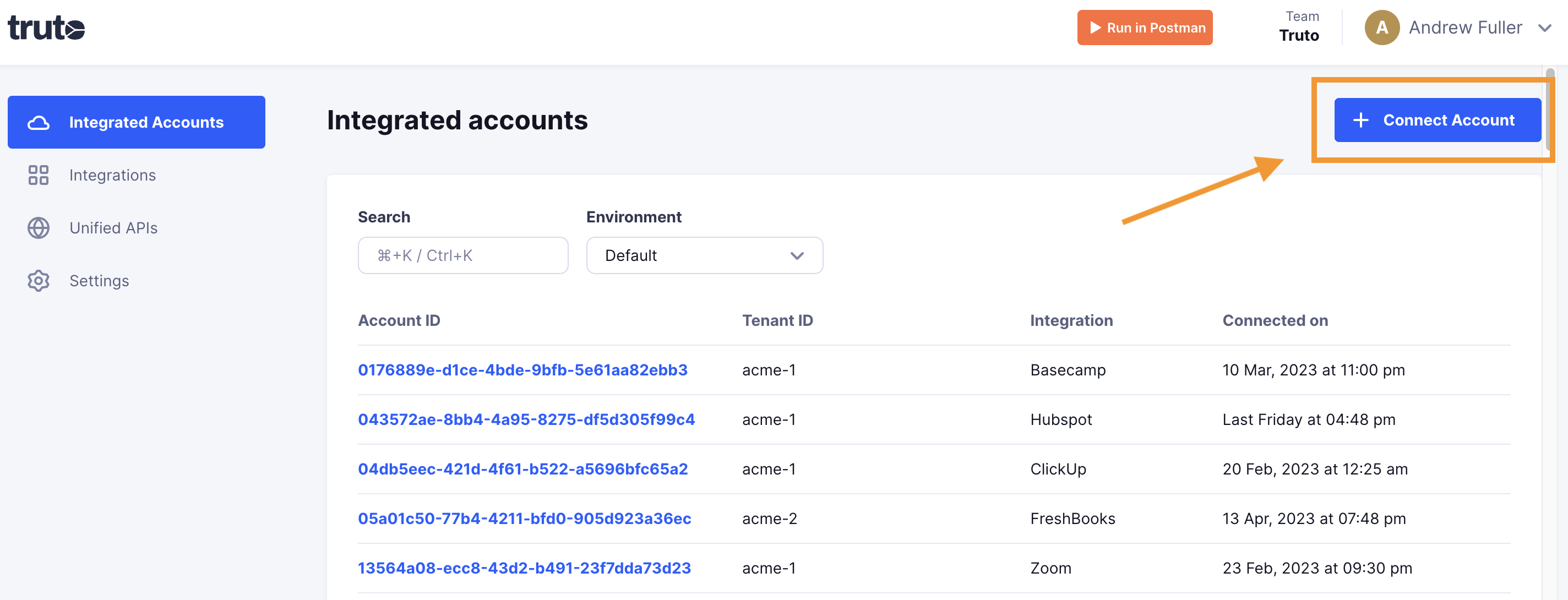
Click on Connect Account
-
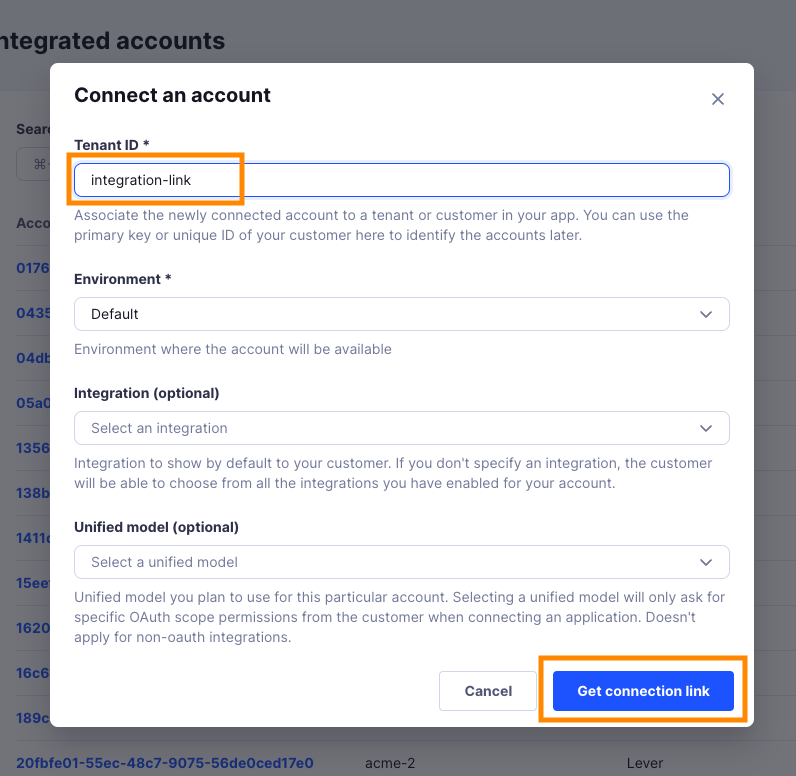
Type in a value for the Tenant ID. This can be any ID of your choosing. And then click on Get connection link
-
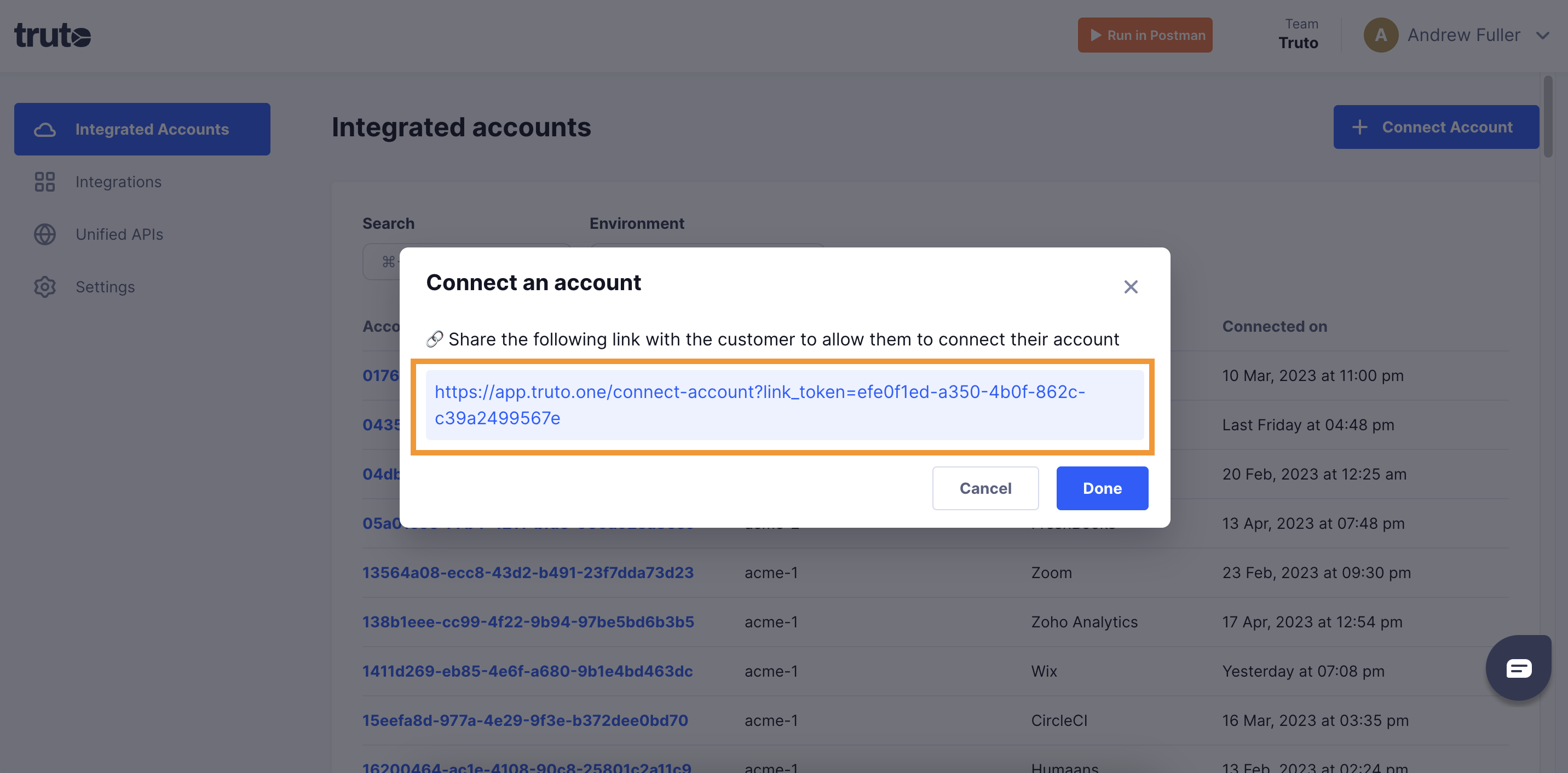
A new link will be generated. Clicking on the link will open a new tab with the list of integrations. You can share this link with your customers too, and they will be able to connect their BambooHR account.
-
Select BambooHR

-
Enter the connection details and click Connect:
- API Key (required): in BambooHR, click your profile picture in the top-right corner, select API Keys, and click Add New Key.
- Bamboo HR Subdomain (required): if your BambooHR URL is
https://mycompany.bamboohr.com, entermycompany.
-
You should now see a connection successful message. You can now close this tab.
-
Go to your Truto account, and you should see the new BambooHR integration under Integrated Accounts. Click on the Account ID to view the details and initiate API calls.