Creating tenants
You can create tenants explicitly (recommended when you want metadata in place before the customer connects), or let Truto auto-create them on first connection. This page covers the explicit paths.
From the dashboard
- Sign in to your Truto account.
- Navigate to Tenants from the sidebar, or open
https://app.truto.one/tenantsdirectly.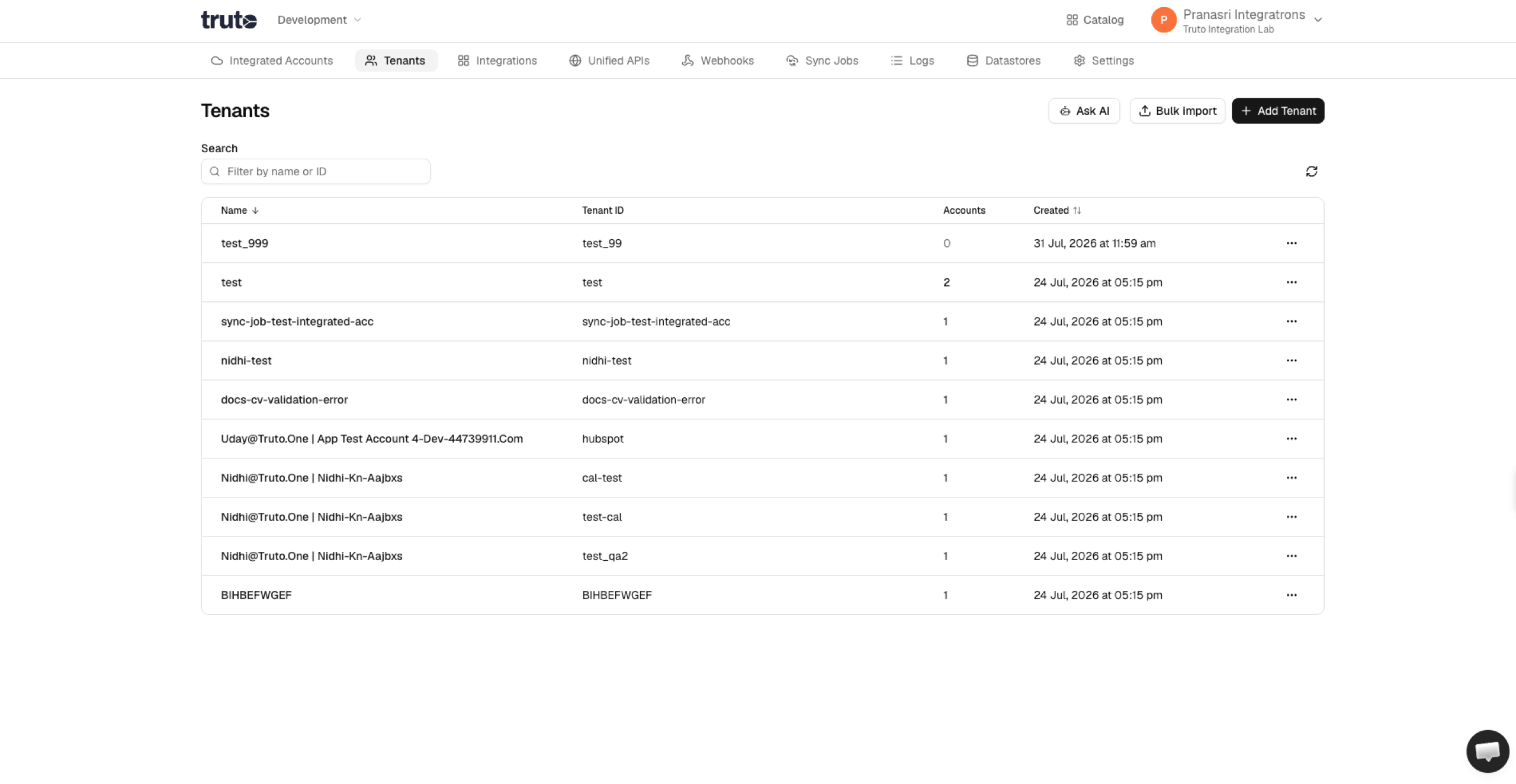
- Click Add Tenant in the top-right.
- Fill in the fields:
- Tenant ID (required) — your identifier for this customer. Any string up to 255 characters, without control characters or leading/trailing whitespace, and not
.or... Immutable once set. - Name (optional) — a display name. Defaults to the ID if left blank.
- Metadata (optional) — free-form JSON. Everything you'd want to see alongside the tenant record.
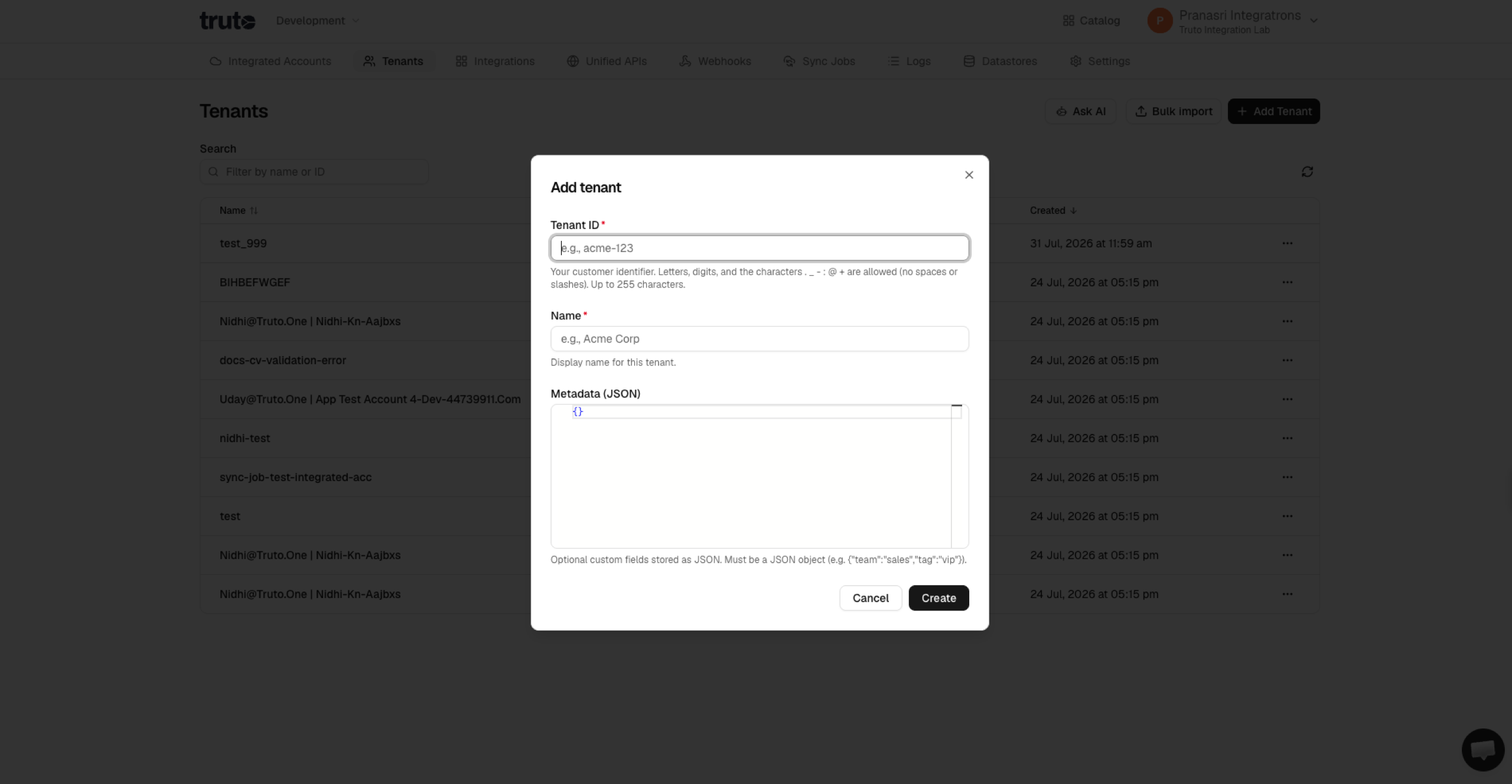
- Tenant ID (required) — your identifier for this customer. Any string up to 255 characters, without control characters or leading/trailing whitespace, and not
- Click Create.
The new tenant appears in the list. Click into it to see (or bulk-delete) all integrated accounts owned by that tenant.
From the API
Truto uses Bearer authentication — replace <your-api-token> with an API token from your target environment.
curl --location 'https://api.truto.one/tenant' \
--header 'Content-Type: application/json' \
--header 'Authorization: Bearer <your-api-token>' \
--data '{
    "id": "acme-corp",
    "name": "Acme Corp",
    "metadata": {
        "tier": "gold",
        "region": "wnam"
    }
}'
Response (201 Created):
{
  "id": "acme-corp",
  "environment_id": "…",
  "name": "Acme Corp",
  "metadata": { "tier": "gold", "region": "wnam" },
  "created_at": "2026-07-02T09:14:03.117Z",
  "updated_at": "2026-07-02T09:14:03.117Z"
}
Fields
| Field | Type | Required | Description |
|---|---|---|---|
id |
string | Yes | Your identifier for the tenant. 1–255 characters; no control characters, no leading or trailing whitespace, not . or ... URL-encode it in /tenant/:id paths. Immutable. |
name |
string | No | Display name. Defaults to id. |
metadata |
object | No | Free-form JSON. Stored and returned verbatim. |
id is unique within an environment. Attempting to create the same ID twice in the same environment returns 409 Conflict.
From the CLI
truto tenants create -b '{"id":"acme-corp","name":"Acme Corp","metadata":{"tier":"gold"}}'
truto tenants list
truto tenants get acme-corp
See Admin resources — Tenants for the full command surface, filters, and bulk create.
Letting Truto auto-create
If you skip the explicit create and just connect an account — via POST /link-token followed by a successful connection, or a direct POST /integrated-account — with a new tenant_id, Truto materializes the tenant row when the integrated account is created (not when the link token is minted), provided the ID matches the allowed pattern. The auto-created tenant has:
id= the value you passedname= the same valuemetadata={}
You can PATCH it later to add metadata or change the display name. Auto-create keeps the "no setup for the customer" flow but denies you a place to attach billing/tier fields ahead of time — pick based on what your onboarding needs.
Updating a tenant
Only name and metadata are updatable. The id is the primary key and can't be renamed.
curl --location 'https://api.truto.one/tenant/acme-corp' \
--request PATCH \
--header 'Content-Type: application/json' \
--header 'Authorization: Bearer <your-api-token>' \
--data '{
    "metadata": { "tier": "platinum" }
}'
metadata on PATCH replaces the whole object; merge on the client side if you want partial updates.
Next steps
- Bulk import — CSV / JSON / file upload for hundreds or thousands of tenants at once.
- Deleting tenants — including the delete guard that refuses tenants with connected accounts.
- Integrated Accounts — once a tenant exists, connect their first account.