Authentication
The CLI uses API tokens exclusively — not your dashboard email and password. Each token is a Bearer credential scoped to one Truto environment (development, staging, or production).
Get an API token
Create a token in the dashboard before running truto login:
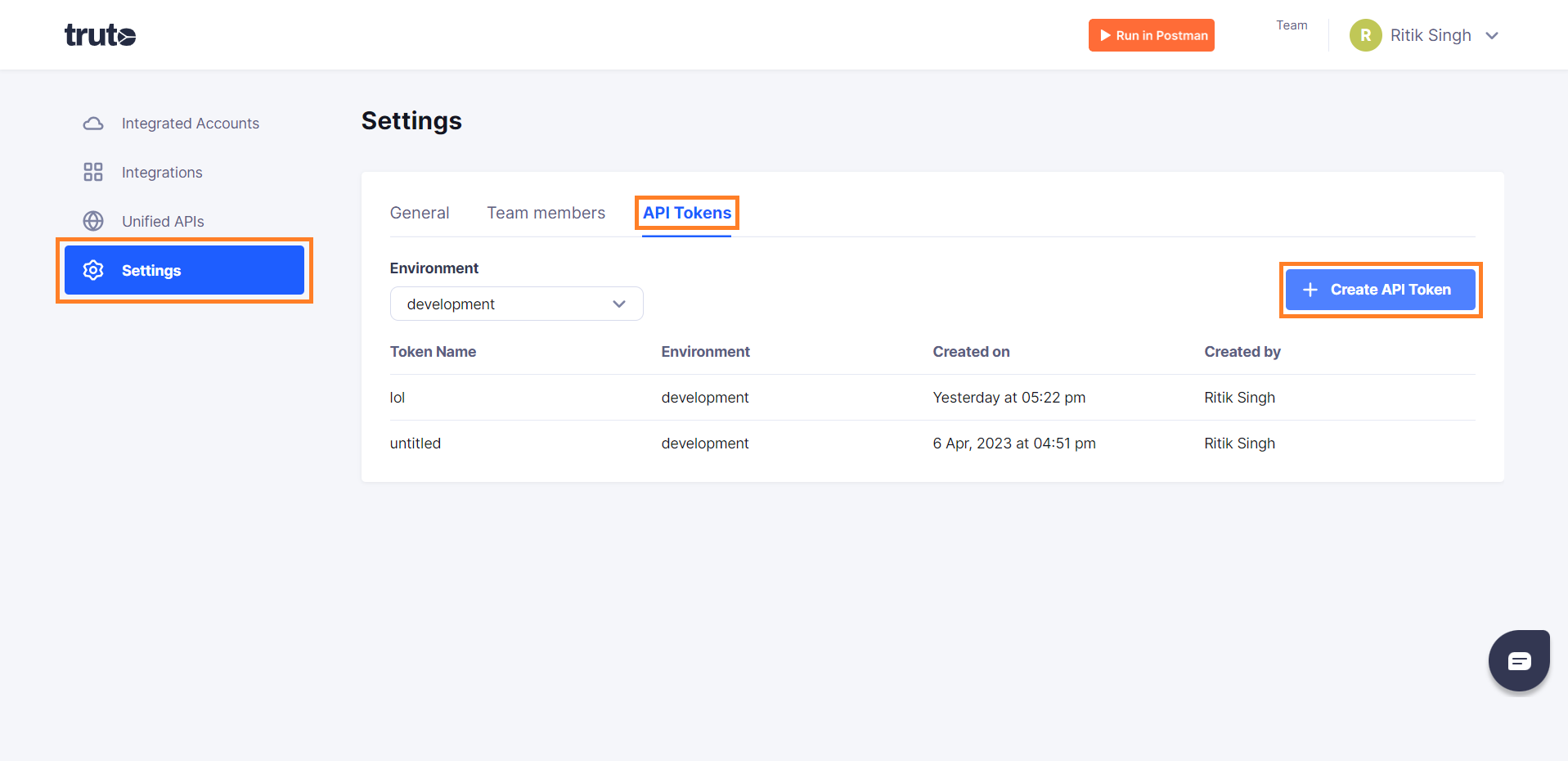
- Sign in to app.truto.one.
- Go to Settings → API Tokens.
- Click Create API Token.
- Enter a name (for example
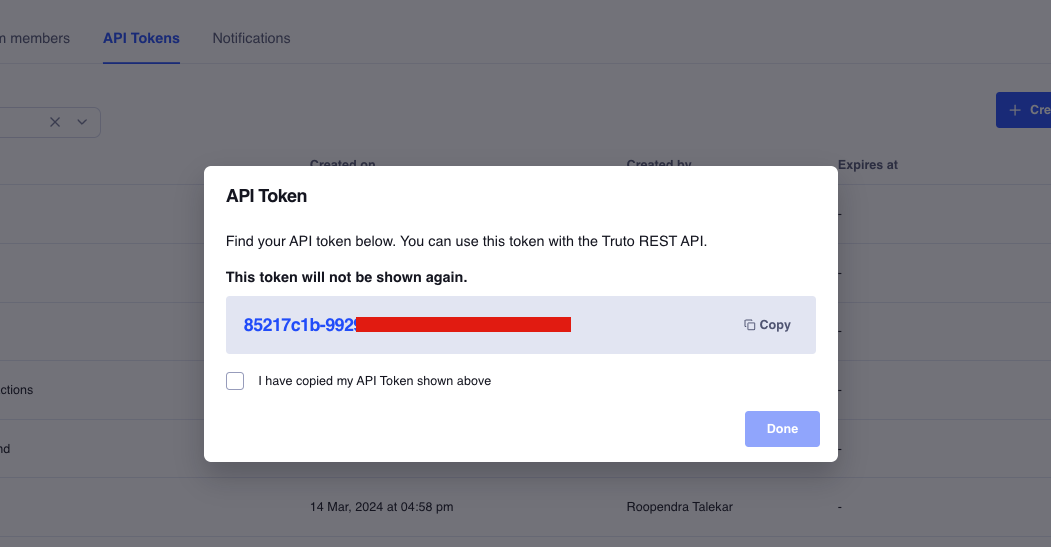
cli-macbookorci-staging) and select the environment the token should access. - Click Create API Token, then copy the token immediately — Truto only shows the full secret once.
- Check I have copied my API Token and click Done.
Store the token in a password manager or export it to your shell for non-interactive login:
export TRUTO_API_TOKEN="<paste-token-here>"Treat API tokens like passwords. Anyone with the token can call Truto Admin and data-plane APIs as your team in that environment. Do not commit tokens to git or paste them in public channels.
Environment matters: A staging token cannot list production accounts or integrations. Pick the environment you intend to work in when creating the token. Read more in Environments overview.
CLI vs dashboard: You can list and view tokens with truto api-tokens list and truto api-tokens get <id>, but creating and deleting tokens must be done in the dashboard (or via the Admin API from your own backend).
Interactive login
truto loginYou are prompted for:
- Profile name (default:
default) — a local label so you can switch between staging and production profiles later - API base URL (default:
https://api.truto.one) — leave as-is unless your team gave you a different API host - API token (masked input) — paste the token you copied from Settings → API Tokens
The token is verified against the API before saving. If a profile with the same name already exists, you are asked to confirm overwriting it (use -f to skip).
Non-interactive login
truto login --token <your-api-token>

# Custom API URL
truto login --token <token> --api-url https://your-instance.truto.one

# Named profile
truto login --token <token> --profile-name staging

# Overwrite without confirmation
truto login --token <token> --profile-name staging -fWhen using --token, interactive prompts are skipped and existing profiles are overwritten without confirmation (same as -f).
Logout and verify
# Remove credentials (default profile)
truto logout

# Remove a specific profile
truto logout --profile-name staging -f

# Verify current credentials
truto whoami
truto whoami -p staging -o json
Profiles
Credentials are stored in ~/.truto/config.json on macOS and Linux (%USERPROFILE%\.truto\config.json on Windows). File permissions are restricted on POSIX systems (0600). Manage multiple profiles for staging, production, or different teams:
truto profiles list
truto profiles use staging
truto use staging                              # shortcut for profiles use
truto profiles set api-url https://custom.truto.one
truto profiles set default-integrated-account <account-id>
truto profiles get api-url
Store bring-your-own keys for truto integrations build and truto unified-mappings build (Anthropic by default; Fireworks optional for integrations build; Firecrawl when crawling docs):
truto profiles set-key anthropic                # interactive, masked (default LLM provider)
truto profiles set-key fireworks                # interactive, masked (optional — --llm-provider fireworks / --embedding-provider fireworks)
truto profiles set-key firecrawl sk-...         # non-interactive (web crawl + Fireworks web tools)
See AI-powered build for how BYOK keys are used.
Allowed profile keys
| Key | Aliases |
|---|---|
apiUrl |
api_url, api-url |
defaultIntegratedAccount |
default_integrated_account, default-integrated-account |
anthropicApiKey |
anthropic_api_key, anthropic-api-key |
fireworksApiKey |
fireworks_api_key, fireworks-api-key |
firecrawlApiKey |
firecrawl_api_key, firecrawl-api-key |
integrationConfigDir |
integration_config_dir, integration-config-dir |
unifiedMappingDir |
unified_mapping_dir, unified-mapping-dir |
Resolution order
Token:
--tokenflag (highest priority)- Active profile's
apiToken - Error if none found
API URL:
--api-urlflag- Active profile's
apiUrl https://api.truto.one(default)
Your API token is scoped to a single environment. You never pass environment_id on commands — all resources are automatically filtered to that environment.
Next steps
- Global options —
-p,--token, output formats - Managing integrations — first admin commands after login