


Changelog
Product update of the week: Year 4 • Week 31

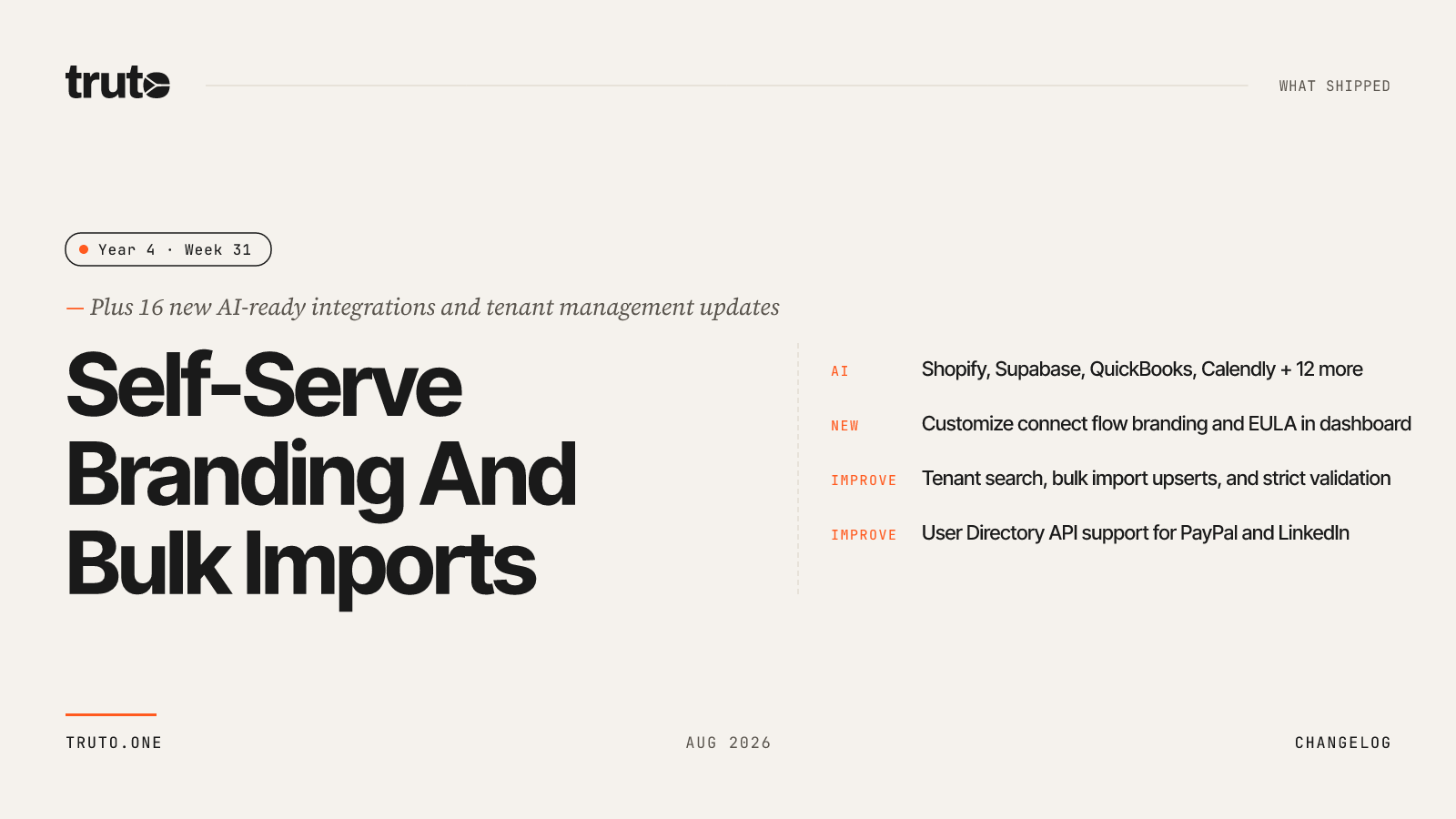
New in Truto: self-serve branding, bulk imports, and 16 new AI-ready integrations
Team admins can now fully customize the connect flow branding directly from the dashboard. We also shipped significant updates to tenant management, grounded the Truto Assistant with better documentation context, and added 16 new integrations to our AI-ready catalog.
✨ Highlights
- Customize connect flow branding, logos, and EULA directly in the Truto dashboard under Settings
- Manage tenants with new search capabilities, insert and upsert bulk imports, and stricter CSV/JSON validation
- Added User Directory Unified API support for PayPal, UniFi On Prem, ShareFile, and LinkedIn
- Shipped 16 new AI-ready integrations including Shopify, Supabase, QuickBooks, and Calendly
- Truto Assistant now consults documentation for more accurate answers and reliable long conversations
- Dashboard and security fixes for environment-scoped access, session revocation, and resource management
🤖 AI-ready integrations
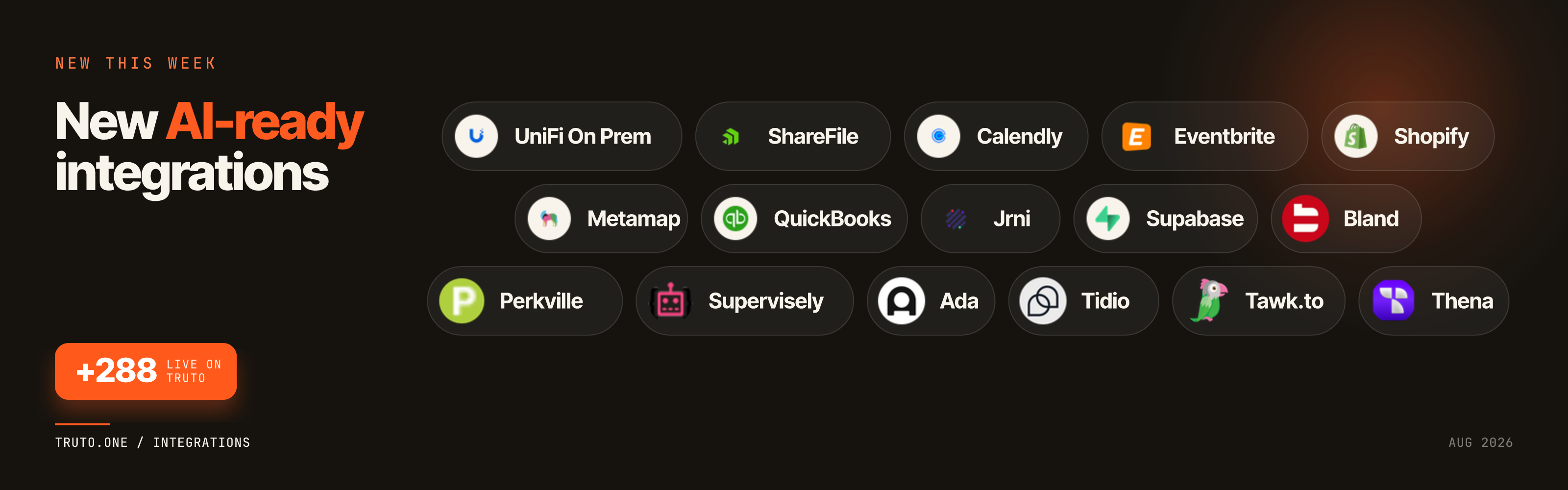
This week we expanded our AI-ready integrations, giving developers 16 new ways to build AI workflows, assistants, and automations on top of Truto:
- UniFi On Prem: Connect AI assistants to on-premises network management and device logs.
- ShareFile: Build AI workflows for enterprise file sharing and document retrieval.
- Calendly: Connect AI to scheduling, availability, and meeting lifecycle events.
- Eventbrite: Let AI agents read and manage event details and ticketing data.
- Shopify: Connect AI to e-commerce, order tracking, and product catalog data.
- Metamap: Build AI workflows around identity verification and compliance.
- QuickBooks: Connect AI to accounting, invoicing, and financial reporting.
- Jrni: Let AI manage enterprise appointment scheduling and queuing.
- Supabase: Connect AI to database and backend-as-a-service workflows.
- Bland: Build automated phone calling and voice workflows with AI.
- Perkville: Connect AI to customer loyalty and rewards programs.
- Supervisely: Connect AI to computer vision and image annotation data.
- Ada: Manage automated customer service and chatbot workflows.
- Tidio: Connect AI to live chat and helpdesk support ticketing.
- Tawk.to: Connect AI to messaging and customer communication streams.
- Thena: Bring conversational ticketing and customer engagement data into AI workflows.
Self-serve connect flow branding
Team admins can now customize the connect flow under Settings > Branding without needing to contact Truto support.
Teams can now set their brand name and logo, control the powered-by screen, and configure terms of service or EULA consent directly. You can also enable a full white-label experience so the interface reflects your brand instead of Truto's.
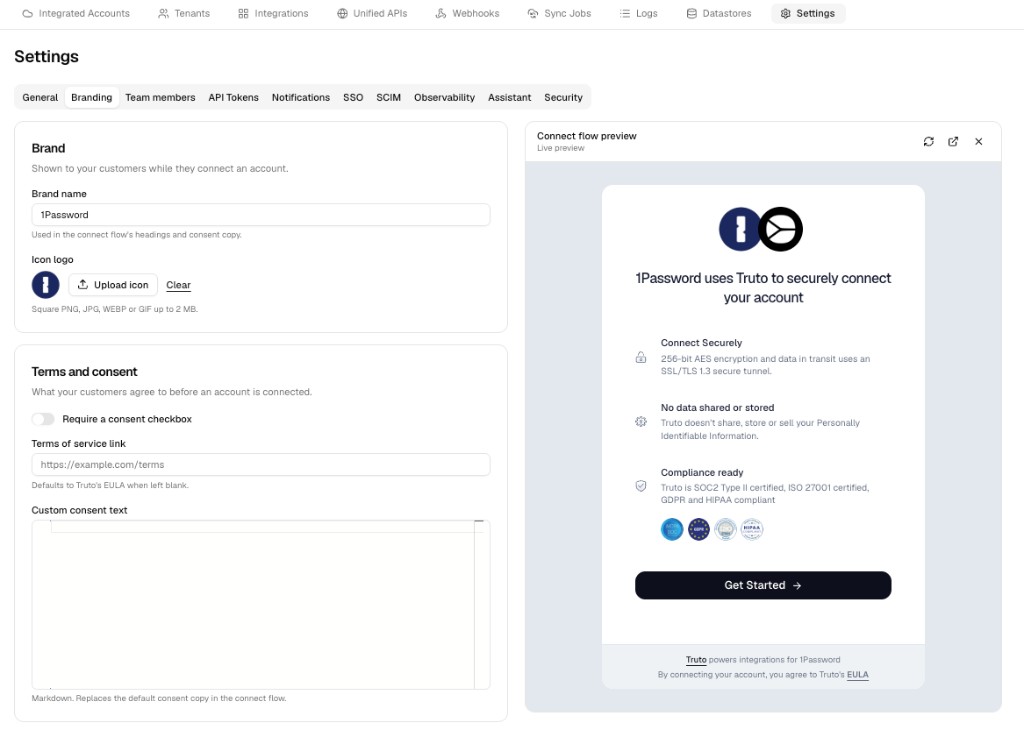
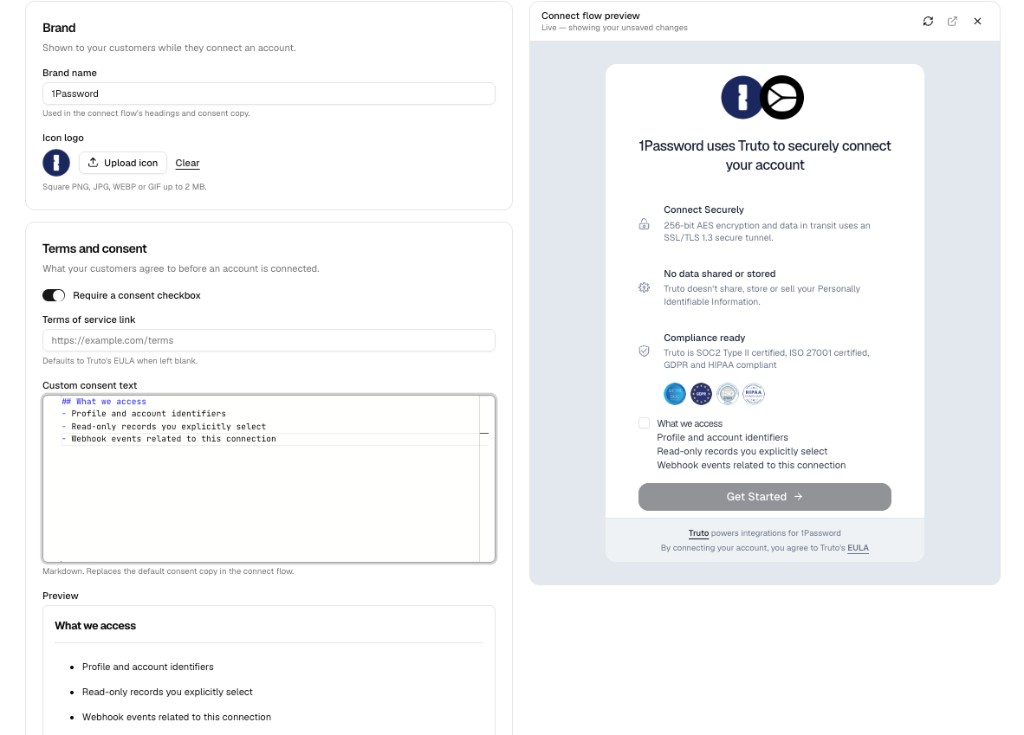
To save time, branding configurations can be copied from another environment. A new Preview feature lets you open the live connect flow to confirm everything looks correct before customers see it.
Tenant management updates
We improved how you manage tenants and bulk imports:
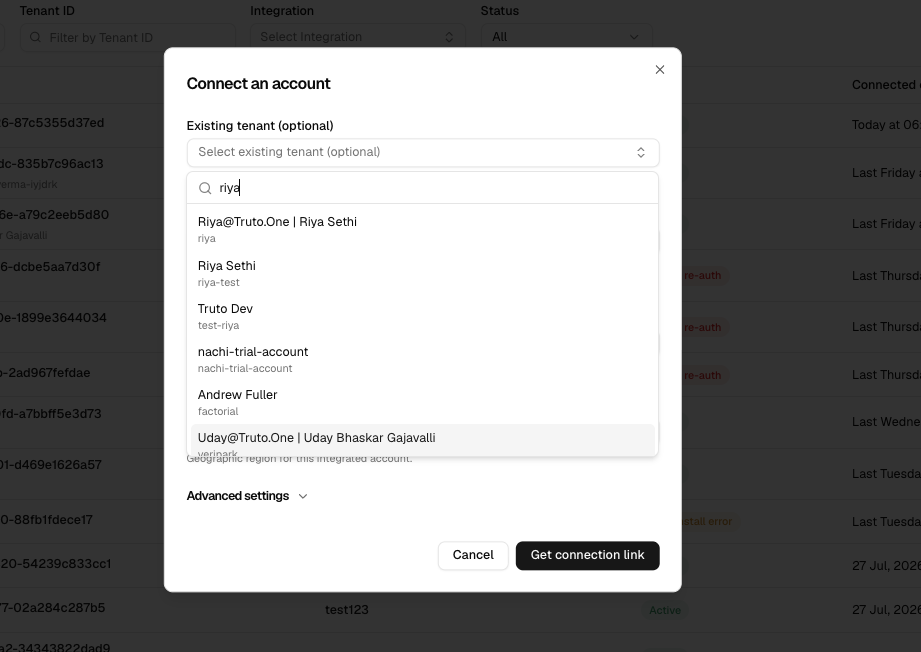
You can now search for a tenant directly while connecting an account.
- Bulk imports now support insert and upsert operations.
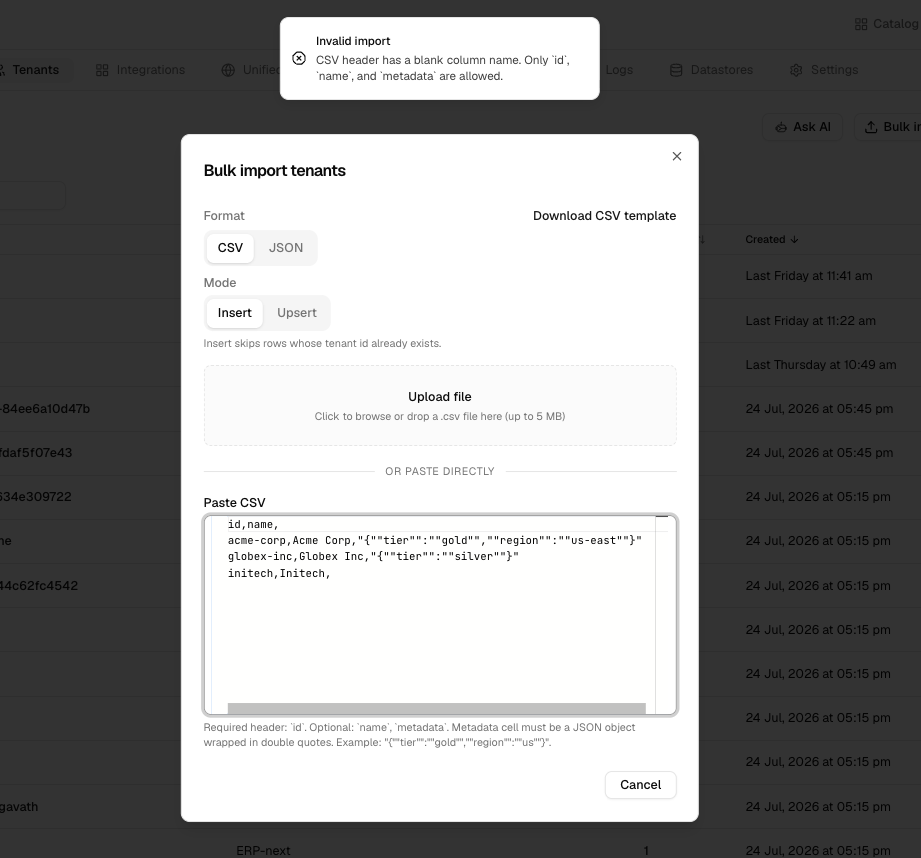
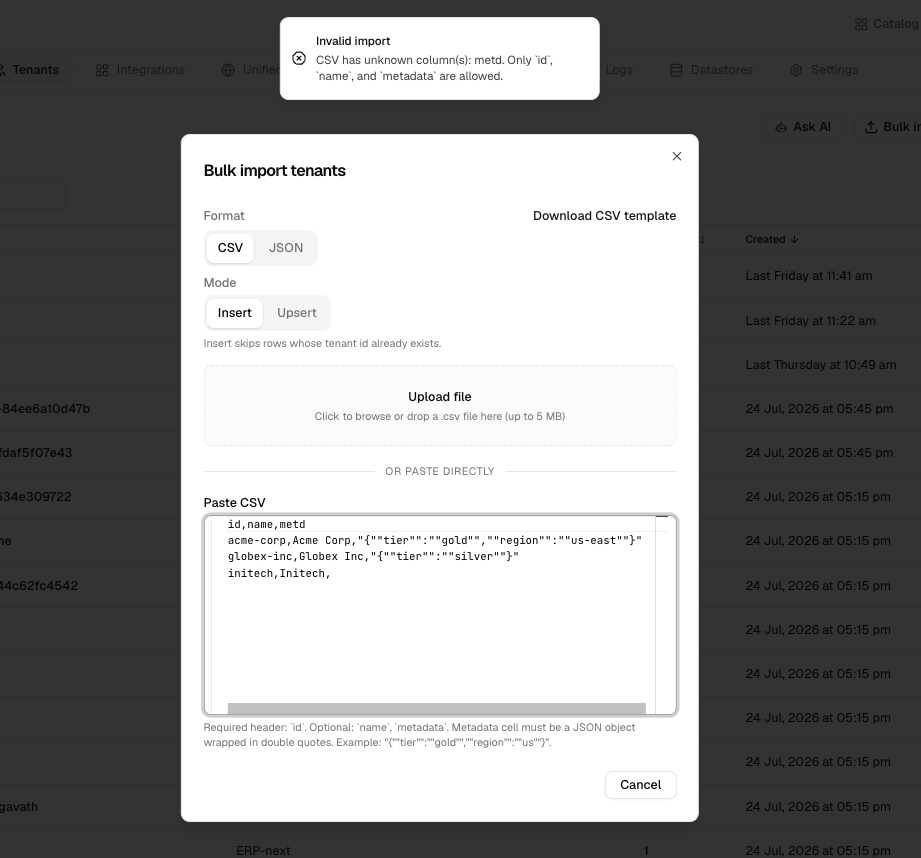
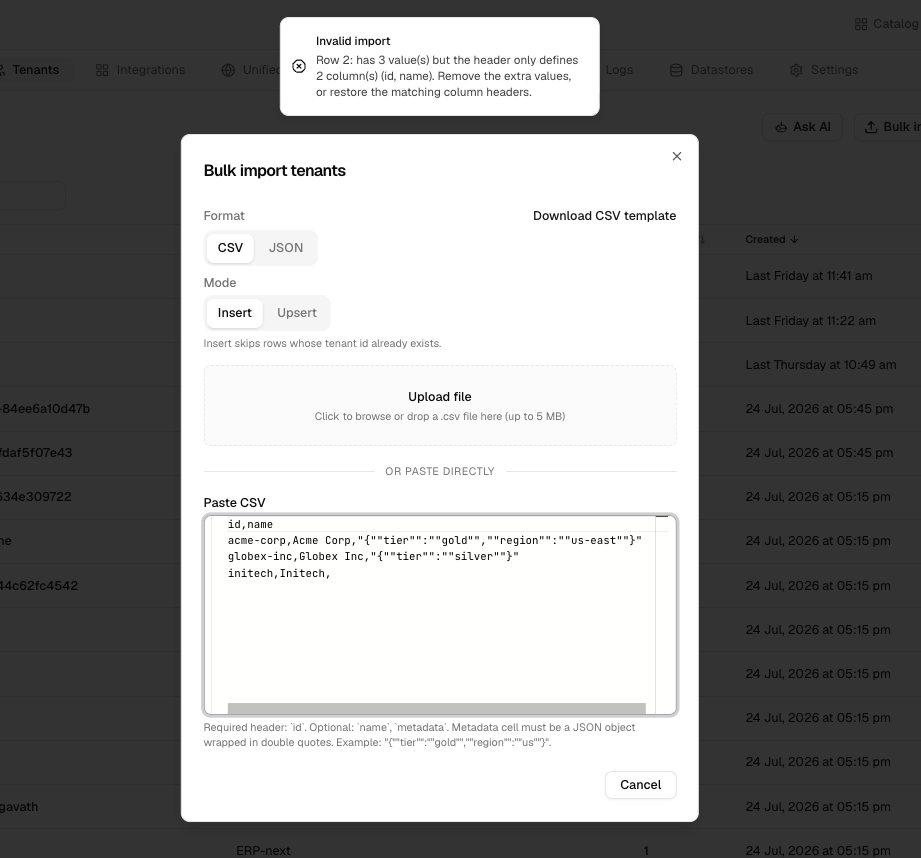
- We added stricter validations on bulk import CSV and JSON files to catch issues like blank or unknown column names and mismatched row values before import.
Unified APIs
Truto added User Directory Unified API support for four new integrations:
| Integration | Unified API support | What you can now do |
|---|---|---|
| PayPal | User Directory Unified APIs | Build user and directory workflows using Truto's unified model |
| UniFi On Prem | User Directory Unified APIs | Build user and directory workflows using Truto's unified model |
| ShareFile | User Directory Unified APIs | Build user and directory workflows using Truto's unified model |
| User Directory Unified APIs | Build user and directory workflows using Truto's unified model |
⚙️ Developer Experience
The Truto Assistant now consults Truto's documentation before answering how-to and concept questions. This keeps responses grounded in how the product actually works.
Before proposing configuration changes, the Assistant will also look up the real available fields. This reduces incorrect or incomplete updates and helps developers build faster.
🛠️ Fixes and Reliability
- Assistant reliability: Longer Assistant conversations now complete reliably instead of failing mid-reply or staying stuck on "Thinking...". When a turn cannot finish, the Assistant shows a clear error so you can safely continue the conversation.
- Security settings: Two-factor authentication (2FA) status and active sessions are now visible to members under Security settings.
- Environment scoping: Team members can no longer be invited or updated without at least one environment. This prevents accounts from ending up with no access. Additionally, users without environment access will no longer receive unscoped logs.
- Resource management: On an installed Unified API, using "Remove resource" now permanently removes that resource for the environment instead of it reappearing after a reload.
- Session revocation: Revoking a session in Settings > Security removes it from the Active sessions list immediately and persists after a refresh. Retrying an already-revoked session no longer throws a confusing error, and signing out from all other sessions reports the correct result.