


Changelog
Product update of the week: Year 4 • Week 28

New in Truto: custom Tool names, CalDAV proxy support, and 29 new AI-ready integrations
This week makes it easier to tailor AI-ready integrations for your environments, expands proxy support for CalDAV-style calendar APIs, and improves Sync Job reliability for rate-limited runs. We also added 29 new AI-ready integrations across payments, AI models, commerce, and storage workflows.
✨ Highlights
- Added 29 new AI-ready integrations including LeadPerfection, Cohere, Fal.ai, Mollie, and Langfuse
- Added Tool name customization to override Truto-generated names for AI-ready integrations
- Added a Revert to original link to compare custom MCP overrides with default Truto content
- Added WebDAV and CalDAV HTTP method support (
options,propfind,report,proppatch,mkcalendar,mkcol) for proxy requests with XML bodies - Redesigned the Sync Job detail UI with Overview, Runs, Schedules tabs and in-UI schedule creation
- Improved resume and restart reliability for stuck rate-limited Sync Jobs using the
rate_limited_aftertimestamp - Added a toast confirmation notification when an API Token is deleted
🤖 AI-ready integrations
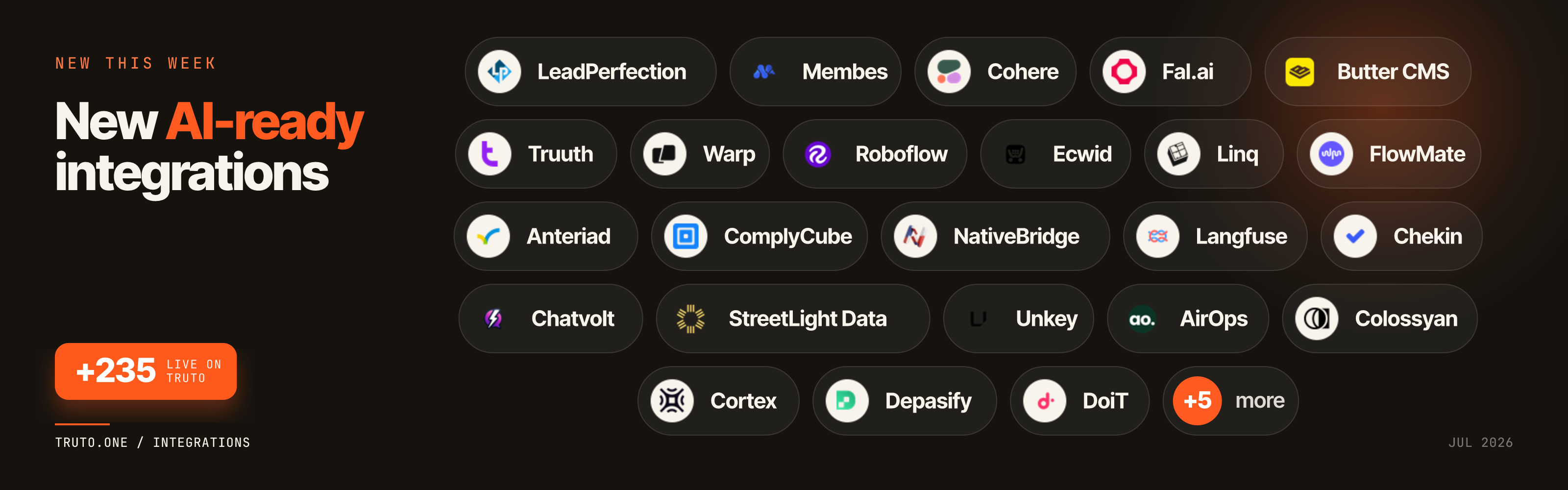
- LeadPerfection: Connect AI assistants to home services CRM, lead, and sales workflows.
- Membes: Connect AI workflows to membership management and member operations.
- Cohere: Connect AI assistants to Cohere models for chat, embeddings, and generation.
- Fal.ai: Connect AI workflows to fal generative media and model endpoints.
- Butter CMS: Connect AI agents to headless CMS pages, posts, and content collections.
- Truuth: Connect AI workflows to identity verification and trust checks.
- Warp: Connect AI assistants to Warp agents and developer workflow automation.
- Roboflow: Connect AI workflows to computer vision models and dataset operations.
- Ecwid: Connect AI assistants to Ecwid storefront, catalog, and order workflows.
- Linq: Connect AI workflows to Linq messaging and contact workflows.
- FlowMate: Connect AI assistants to FlowMate automation and workflow operations.
- Anteriad: Connect AI workflows to B2B intent, account matching, and audience data.
- ComplyCube: Connect AI assistants to KYC, AML, and identity compliance checks.
- NativeBridge: Connect AI workflows to NativeBridge integration and bridge operations.
- Langfuse: Connect AI agents to LLM observability, traces, and prompt evaluation.
- Chekin: Connect AI workflows to guest check-in and hospitality operations.
- Chatvolt: Connect AI assistants to Chatvolt agents, conversations, and messaging.
- StreetLight Data: Connect AI workflows to mobility analytics and transportation insights.
- Momence: Connect AI assistants to fitness class booking and studio operations.
- Unkey: Connect AI workflows to API key management, rate limits, and access control.
- AirOps: Connect AI agents to AirOps apps, executions, and content workflows.
- Colossyan: Connect AI workflows to AI video creation and localization.
- Cortex: Connect AI assistants to Cortex developer portal and service catalogs.
- Depasify: Connect AI workflows to banking, KYC, payments, and treasury operations.
- DoiT: Connect AI assistants to cloud cost management and FinOps workflows.
- ElizaOS: Connect AI agents to ElizaOS multi-agent runtime and orchestration.
- Lenses: Connect AI workflows to Kafka streaming data and topic operations.
- Mollie: Connect AI assistants to Mollie payments, refunds, customers, and settlements.
- Seafile: Connect AI workflows to Seafile libraries, files, shares, and search.
⚙️ Developer Experience
Custom Tool names for AI-ready integrations
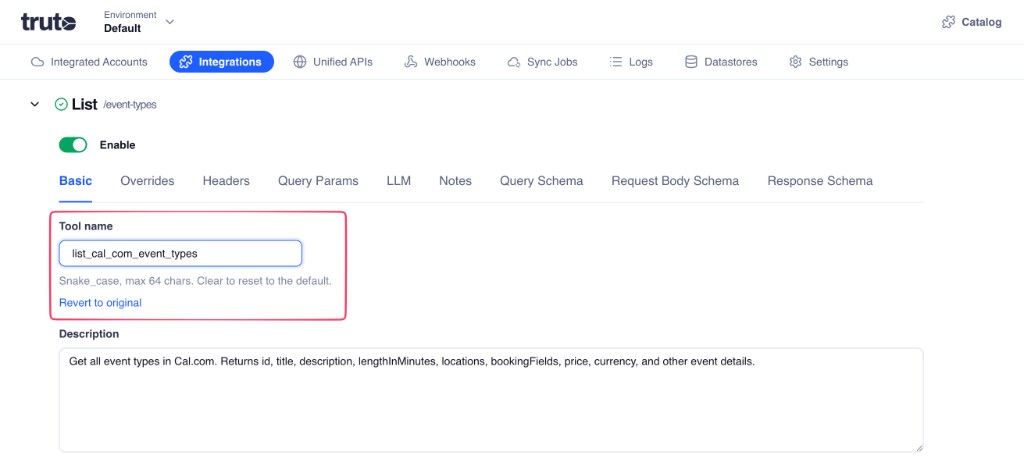
You can now override the Truto-generated Tool name for AI-ready integrations in your environments. Names must be snake_case and are limited to 64 characters. Clearing the field resets it to the default name.
If MCP properties like the Tool name or Description are overridden, Truto now displays a Revert to original link. This lets you quickly compare your custom overrides with the original Truto-generated content.
CalDAV and WebDAV proxy support
Integration resource methods now support WebDAV and CalDAV HTTP methods: options, propfind, report, proppatch, mkcalendar, and mkcol.
This enables developers to make proxy requests with XML bodies for CalDAV-style integrations, such as Apple or iCloud Calendar, directly through Truto.
🔄 Sync Jobs
Redesigned Sync Job detail UI
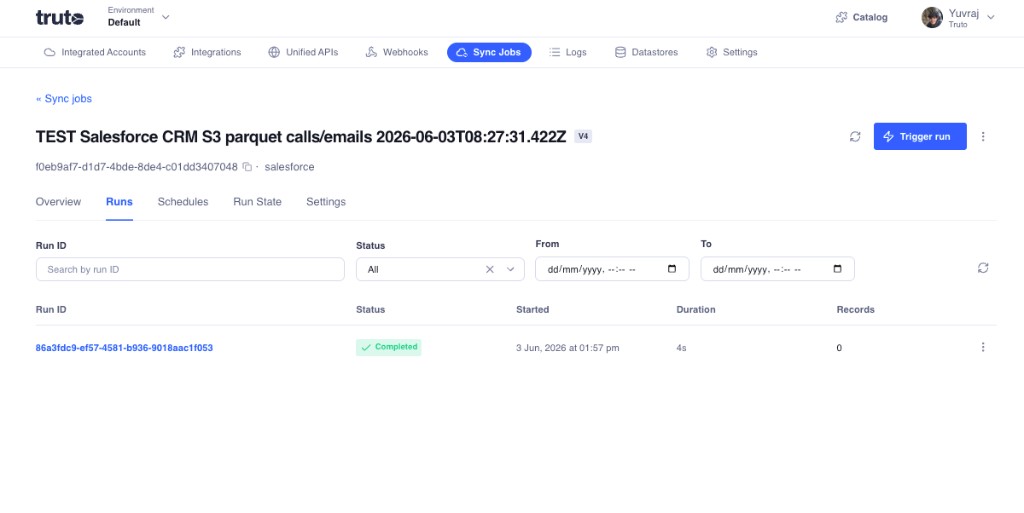
The Sync Job detail page now has dedicated tabs for Overview, Runs, Schedules, Run State, and Settings, so you can inspect configuration, monitor runs, and manage schedules from one place.
On Runs, you can review run history with filters for run ID, status, and date range. Each row includes status, start time, duration, and records processed — making it easier to debug and monitor syncs day to day.
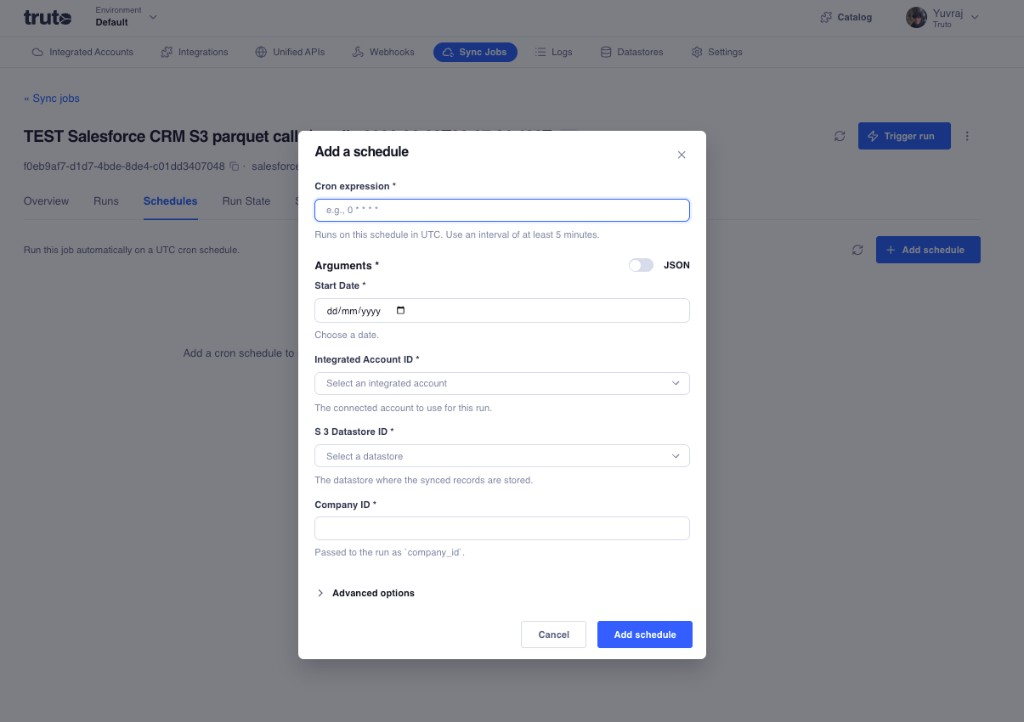
You can also add cron-based schedules directly from the UI. The Add a schedule flow supports a cron expression (UTC, minimum 5-minute interval), a form-driven arguments editor with optional JSON mode, and pickers for integrated accounts and datastores.
Better recovery for rate-limited jobs
We improved the resume and restart behavior for stuck rate-limited Sync Jobs. Truto now uses more reliable status tracking and a constant alarm-based lookup on the rate_limited_after timestamp. This ensures jobs recover cleanly once provider rate limits reset.
Other Updates
- API token deletion toast: Deleting an API Token now triggers a toast notification, providing clear visual confirmation when a token is removed.