


Changelog
Product update of the week: Year 4 • Week 43

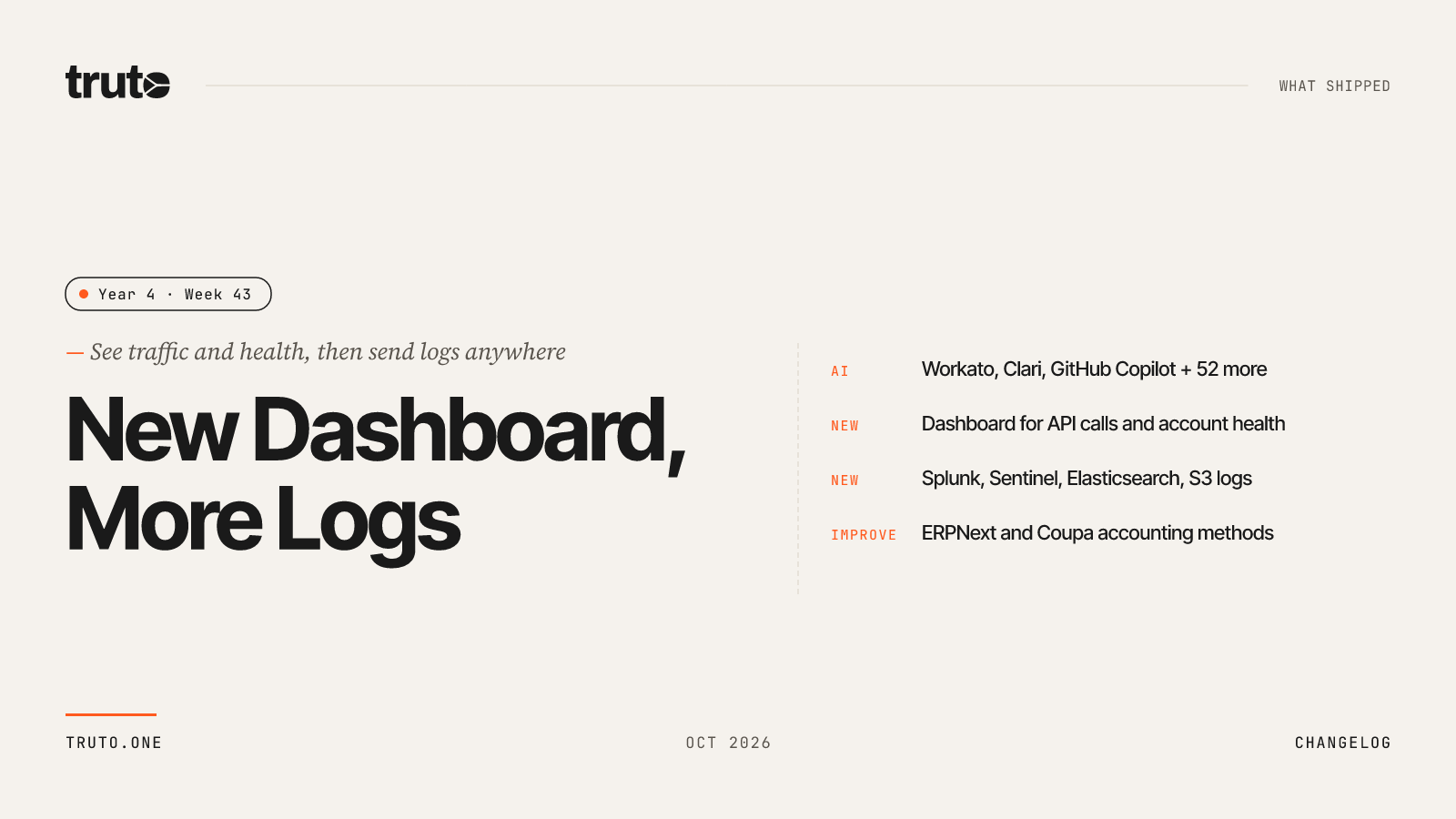
New in Truto: A Dashboard for your integrations, and more places to send your logs
This week, Truto has a new Dashboard as the first tab in your environment. It shows API calls, active integrations, account health, reliability, and activity in one place, for any date range up to 90 days. Logs can now go to five more destinations, including Splunk, Microsoft Sentinel, Elasticsearch, and S3. ERPNext and Coupa picked up a large set of Unified Accounting API methods, and we tightened security around secrets, two-factor authentication, and team permissions. On top of that, we shipped 54 new AI-ready integrations.
✨ Highlights
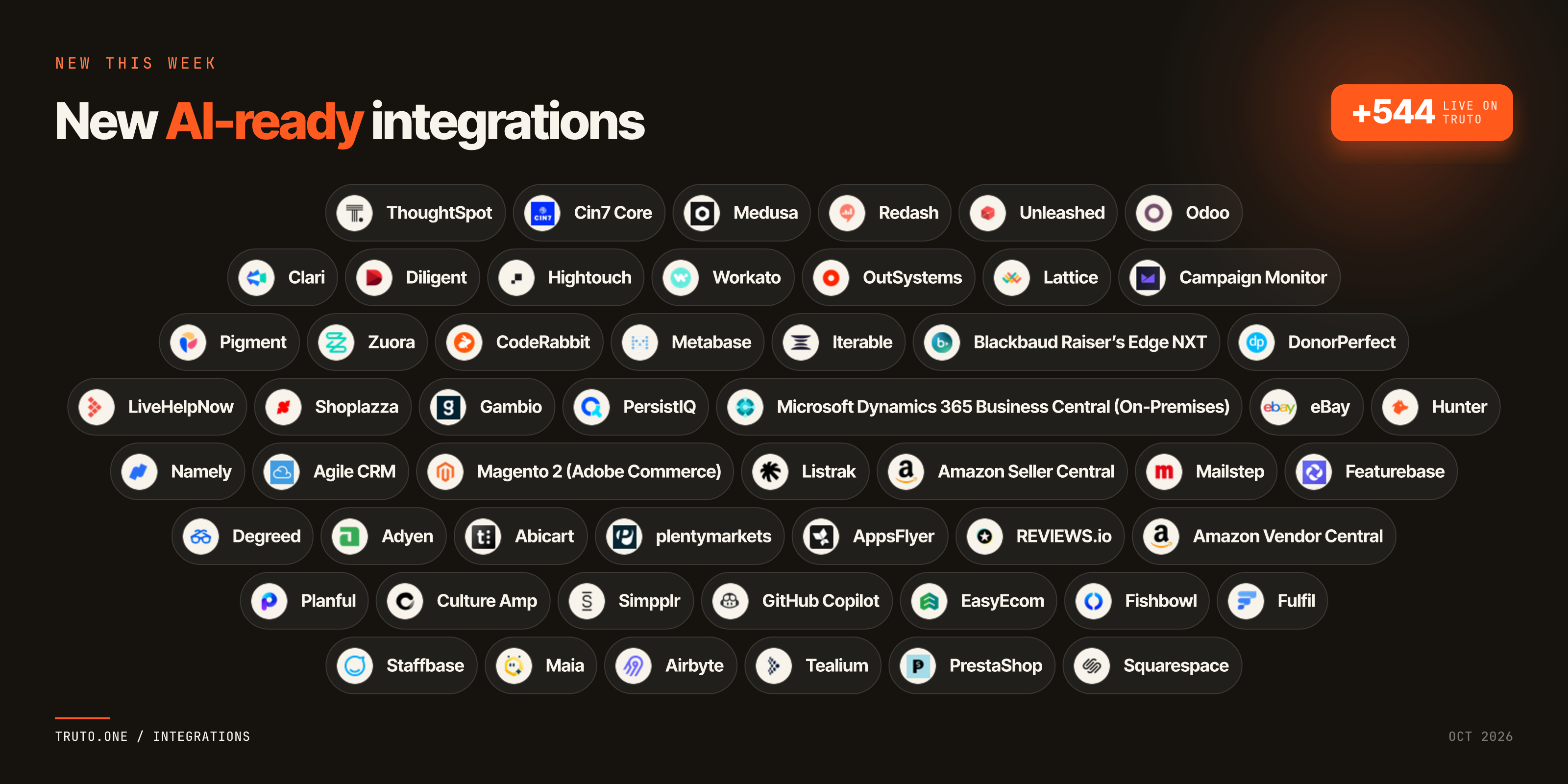
- Added 54 new AI-ready integrations, including Workato, Clari, GitHub Copilot, Odoo, Magento 2, and eBay, for building AI workflows.
- New Dashboard tab: API calls, active integrations, active integrated accounts, and success rate, each with a change against the previous period.
- Log destinations: send logs to OpenTelemetry (OTLP), Splunk HEC, Microsoft Sentinel, Elasticsearch, or an S3, GCS, R2, or MinIO archive, in addition to Datadog.
- ERPNext now has many more Unified Accounting API methods across 23 resources, and Coupa gained 22 methods across budgets, contact groups, expenses, shipping methods, item receipts, and payments.
- Secrets are now locked down in every API response, and two-factor secrets are encrypted at rest.
- Sync job schedules faster than every 5 minutes are refused with a clear
400, and a run whose accounts all need re-authorization now ends as failed right away. - Slack no longer creates two or three accounts from one connection, and the connect screen now waits for sign-in to finish.
- 1Password now works with new OAuth console apps, and Apple Calendar checks your Apple ID and app-specific password when you connect.
truto integrations build --only-missingno longer says "up to date" after quietly discarding a complete spec.
🤖 AI-ready integrations
- LiveHelpNow: Let AI agents work with LiveHelpNow live chat, tickets, and customer conversations.
- Clari: Give AI agents access to Clari forecasts, pipeline, and revenue data.
- Planful: Connect AI agents to Planful financial planning, budgets, and reporting.
- Diligent: Let AI agents work with Diligent governance, board, and compliance data.
- Degreed: Give AI agents access to Degreed learners, learning content, and skills.
- Hightouch: Let AI agents manage Hightouch syncs, models, and data destinations.
- Namely: Connect AI agents to Namely employee and HR records.
- Workato: Let AI agents work with Workato recipes, connections, and automation runs.
- Pigment: Give AI agents access to Pigment planning models and business data.
- Culture Amp: Connect AI agents to Culture Amp surveys, engagement, and performance data.
- Staffbase: Let AI agents work with Staffbase employee communications, posts, and channels.
- Maia: Connect AI agents to Maia.
- Simpplr: Give AI agents access to Simpplr intranet content, people, and updates.
- Zuora: Let AI agents work with Zuora subscriptions, billing, and invoices.
- Airbyte: Let AI agents manage Airbyte connections, sources, destinations, and sync jobs.
- OutSystems: Connect AI agents to OutSystems applications and low-code environments.
- Tealium: Give AI agents access to Tealium customer data, audiences, and event streams.
- Lattice: Let AI agents work with Lattice people, goals, reviews, and engagement data.
- CodeRabbit: Connect AI agents to CodeRabbit code reviews and repository insights.
- Metabase: Give AI agents access to Metabase questions, dashboards, and collections.
- GitHub Copilot: Let AI agents work with GitHub Copilot seats, usage, and metrics.
- Adyen: Give AI agents access to Adyen payments, payouts, and merchant accounts.
- ThoughtSpot: Let AI agents query ThoughtSpot Liveboards, answers, and analytics data.
- Agile CRM: Connect AI agents to Agile CRM contacts, deals, and tasks.
- Campaign Monitor: Let AI agents work with Campaign Monitor subscriber lists and email campaigns.
- PrestaShop: Give AI agents access to PrestaShop products, orders, and customers.
- Cin7 Core: Let AI agents work with Cin7 Core inventory, sales orders, and purchase orders.
- Medusa: Connect AI agents to Medusa products, orders, and customers.
- Redash: Give AI agents access to Redash queries, dashboards, and visualizations.
- Unleashed: Let AI agents work with Unleashed inventory, sales orders, and purchase orders.
- Odoo: Connect AI agents to Odoo contacts, sales, inventory, and accounting records.
- Shoplazza: Give AI agents access to Shoplazza products, orders, and customers.
- Magento 2 (Adobe Commerce): Let AI agents work with Magento 2 (Adobe Commerce) catalog, orders, and customers.
- Abicart: Connect AI agents to Abicart products, orders, and customers.
- Gambio: Give AI agents access to Gambio products, orders, and customers.
- plentymarkets: Let AI agents work with plentymarkets products, orders, and stock.
- Squarespace: Connect AI agents to Squarespace products, orders, and customers.
- AppsFlyer: Give AI agents access to AppsFlyer mobile attribution and campaign performance data.
- Iterable: Let AI agents work with Iterable campaigns, lists, and user profiles.
- PersistIQ: Connect AI agents to PersistIQ prospects, sequences, and outreach activity.
- REVIEWS.io: Give AI agents access to REVIEWS.io product and company reviews.
- Blackbaud Raiser’s Edge NXT: Let AI agents work with Raiser’s Edge NXT constituents, gifts, and fundraising records.
- DonorPerfect: Connect AI agents to DonorPerfect donors, gifts, and pledges.
- Listrak: Give AI agents access to Listrak contacts, lists, and marketing campaigns.
- Microsoft Dynamics 365 Business Central (On-Premises): Let AI agents work with Business Central financial and operational data in on-premises installations.
- Amazon Seller Central: Connect AI agents to Amazon Seller Central orders, listings, and inventory.
- Amazon Vendor Central: Give AI agents access to Amazon Vendor Central purchase orders and shipments.
- EasyEcom: Let AI agents work with EasyEcom orders, inventory, and shipments.
- Fishbowl: Connect AI agents to Fishbowl inventory and orders.
- eBay: Give AI agents access to eBay listings and orders.
- Fulfil: Let AI agents work with Fulfil orders, inventory, and fulfillment.
- Mailstep: Give AI agents access to Mailstep warehouse and fulfillment data.
- Hunter: Let AI agents find and verify email addresses with Hunter.
- Featurebase: Connect AI agents to Featurebase feedback, feature requests, and changelog posts.
📊 New Dashboard
The Dashboard is the new first tab in your environment. It opens on This month, and you can pick any date range up to 90 days. An integration filter narrows every number and chart to the integrations you care about. The data refreshes every 6 hours, and the page shows when it was last updated.
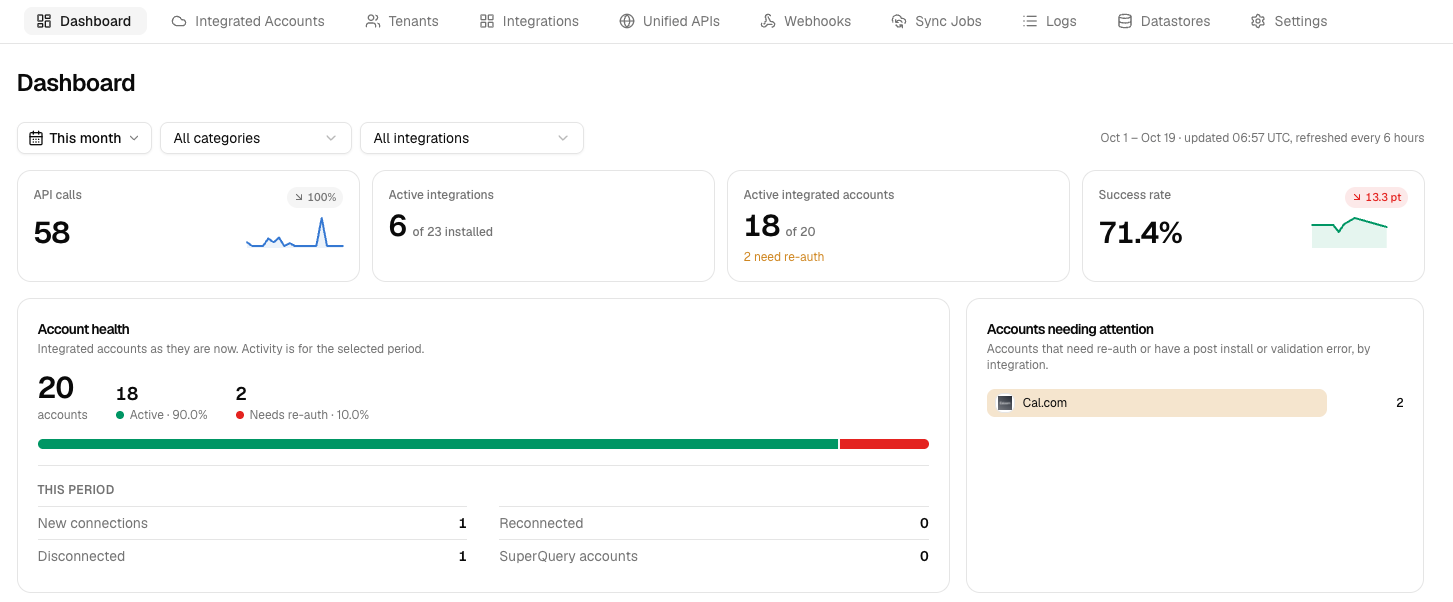
- Headline numbers: API calls, active integrations, active integrated accounts, and success rate. Each shows how it changed against the period before.
- Account health: how many accounts are active and how many need re-authorization, plus new connections, reconnections, and disconnections for the period.
- Traffic: API calls per day, split by where the call came from, and a breakdown of how much of your traffic each integration takes.
- Reliability: latency, status codes, and errors by integration.
- Activity: records synced, new connections, webhook events, and MCP tool calls.
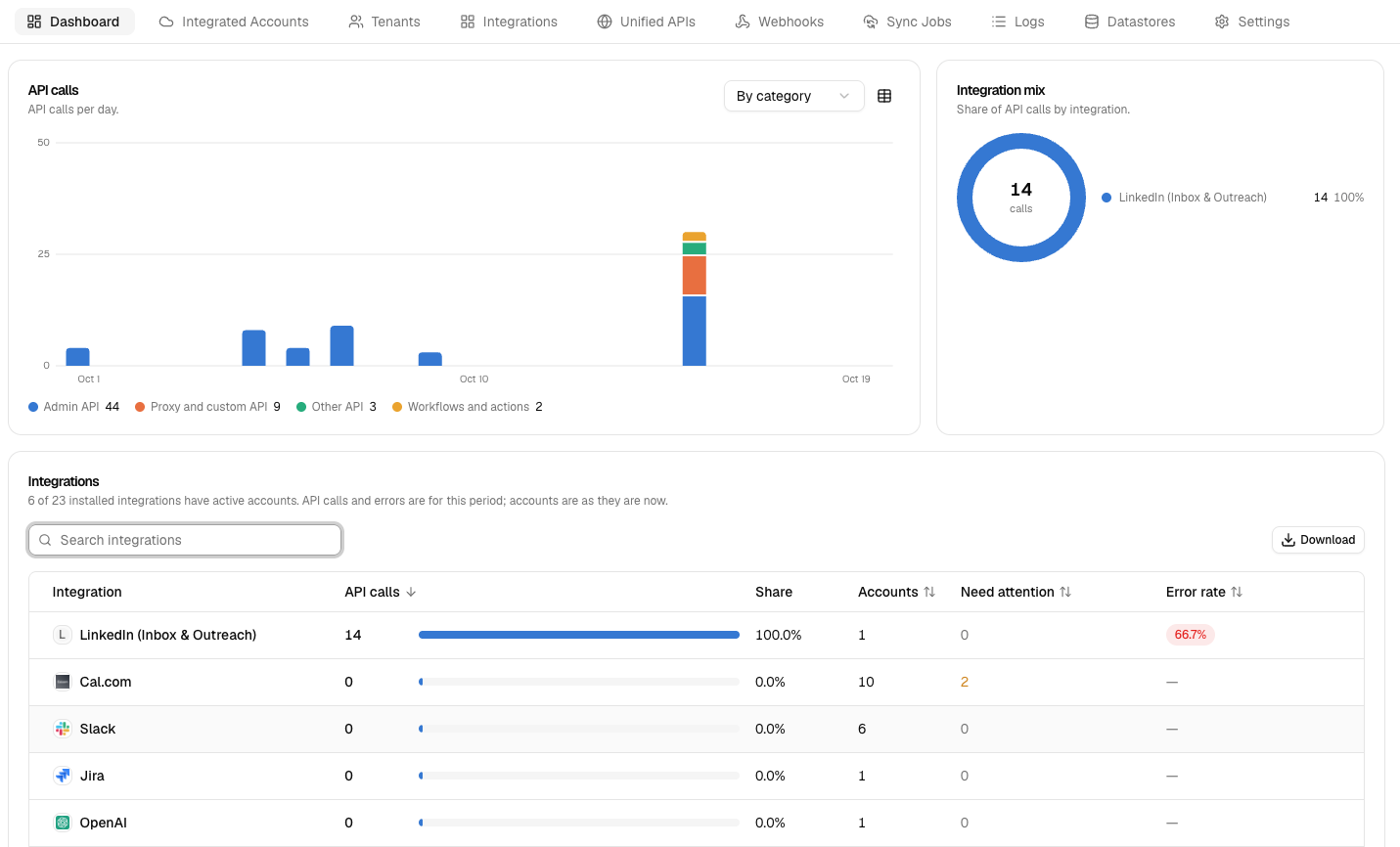
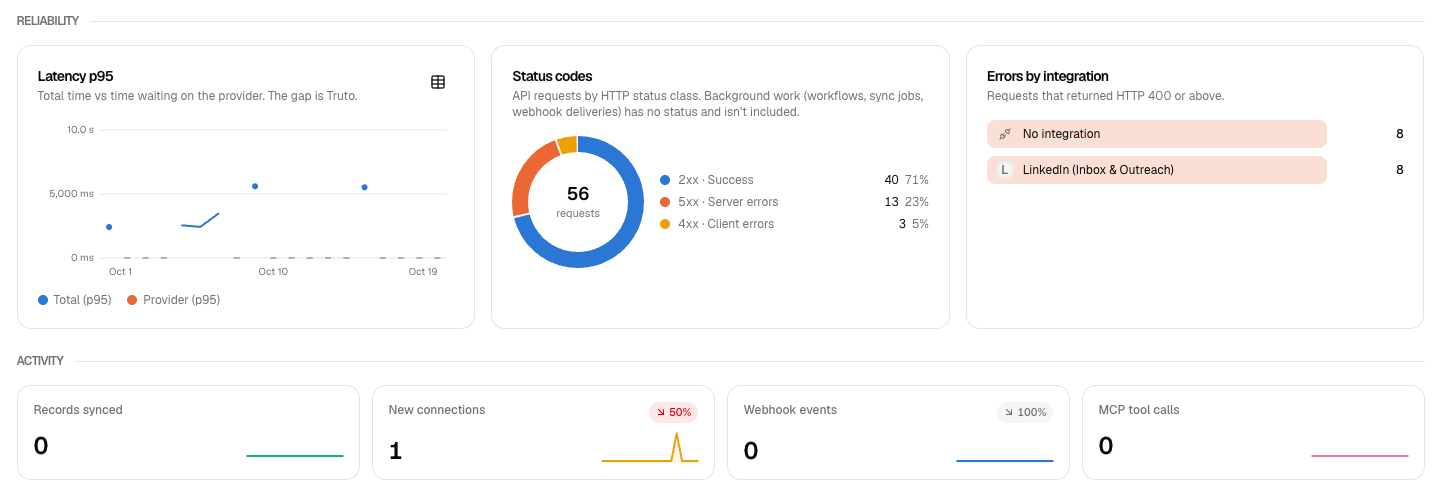
The tables on the Dashboard have search and sorting, a CSV download, and links straight to the matching Logs. You can also get the same numbers from the terminal with truto analytics dashboard.
📤 Log destinations
Logs can now go to five more places, in addition to Datadog.
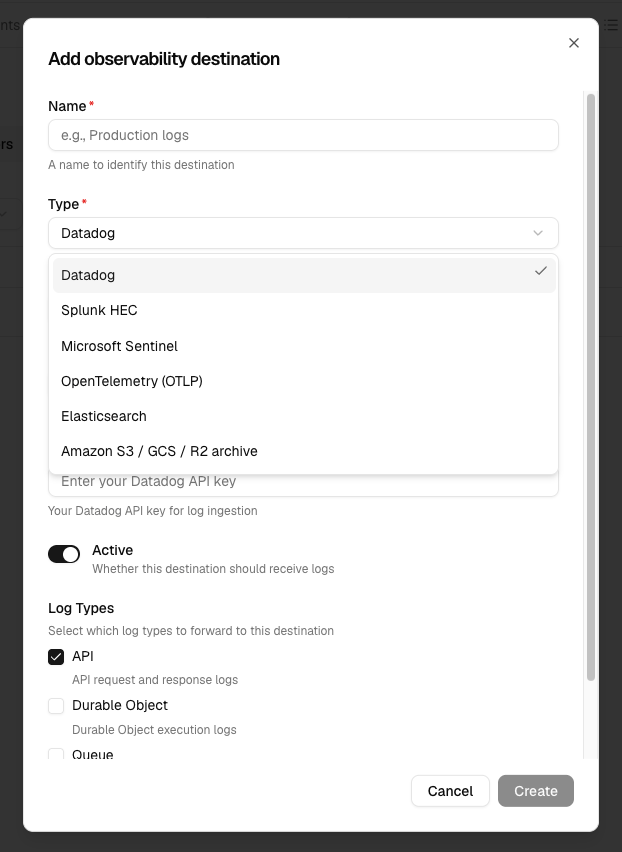
- OpenTelemetry (OTLP)
- Splunk HEC
- Microsoft Sentinel
- Elasticsearch
- S3 log archive: works with S3, GCS, R2, and MinIO.
When you test a connection, you now see the destination's own error message, so you can tell what to fix. Only logs are sent. If you create or update a destination through the API or CLI with some of its settings missing, you now get a 400 instead of a destination that can't deliver anything.
📈 Expanded Unified APIs
Unified Accounting API: ERPNext
| Integration | What you can now do |
|---|---|
 ERPNext |
Manage attachments, budgets, contact groups, contacts, credit notes, currencies, employees, item receipts, items, payment methods, purchase order requisitions, purchase orders, repeating transactions, shipping methods, tax rates, tracking categories and vendor credits (list, read, create, update and delete); read company info; update and delete accounts, invoices, journal entries and transactions; delete payments. |
Unified Accounting API: Coupa
| Integration | What you can now do |
|---|---|
 Coupa |
Read, create and update budgets, contact groups, expenses and shipping methods; read, create and delete item receipts; read payments. |
💻 CLI
truto integrations build --only-missingno longer says "up to date" after quietly discarding a complete spec. The coverage check now matches live resources by endpoint instead of by name.truto analytics dashboardshows the Dashboard numbers in your terminal.
🔐 Security and account protection
- Secrets: secrets are now locked down in every API response.
- Two-factor authentication: 2FA secrets are now encrypted at rest.
- Safer edits: editing a record no longer wipes a saved secret when you don't change it.
- Team boundaries: invites, SSO, SCIM, and role changes are tighter about what one team can do to another.
- Settings that behave:
- "Set as default" on an SSO connection stays active.
- Editing an IP allowlist entry keeps its expiry.
- "User deactivated" emails are only sent when a user is really deactivated.
- Stricter input checks: bad input now returns a
400instead of being accepted.
🔄 Sync Jobs
- A schedule that runs more often than every 5 minutes is now refused with a
400, instead of failing with a500. - A run whose accounts all need re-authorization now ends as failed right away with a
401, instead of showing as completed.
🔗 Connect
- Slack: one connection could create two or three accounts. It now creates one.
- Sign-in: the connect screen now waits for sign-in to finish, and shows a "Try again" button when the sign-in was really cancelled.
- Outlook Calendar: the same fix applies to the admin consent window.
⚙️ Platform Improvements
- Integration settings: removing or reordering items in an integration's settings list now saves.
- Tenants: search ignores spaces at the start and end of what you type, and tenant names are trimmed when saved.
- Unified API mapping editor: an example you just saved no longer shows as unsaved in Review changes.
🔄 Integration Improvements
- 1Password: now works with new OAuth console apps and the v1 API. Pick New OAuth application when you connect. Existing apps keep working until November 8, so reconnect before then.
- Apple Calendar: connecting now finds your iCloud account number and checks your Apple ID and app-specific password, so a wrong login fails when you connect instead of later. The tools no longer ask for an account number. The app-specific password is stored encrypted and hidden. Reconnect once to encrypt an existing one.